Welcome and onboarding
- Three short introduction screens: "Live beautifully", "See it in your space", "Delivered with care".
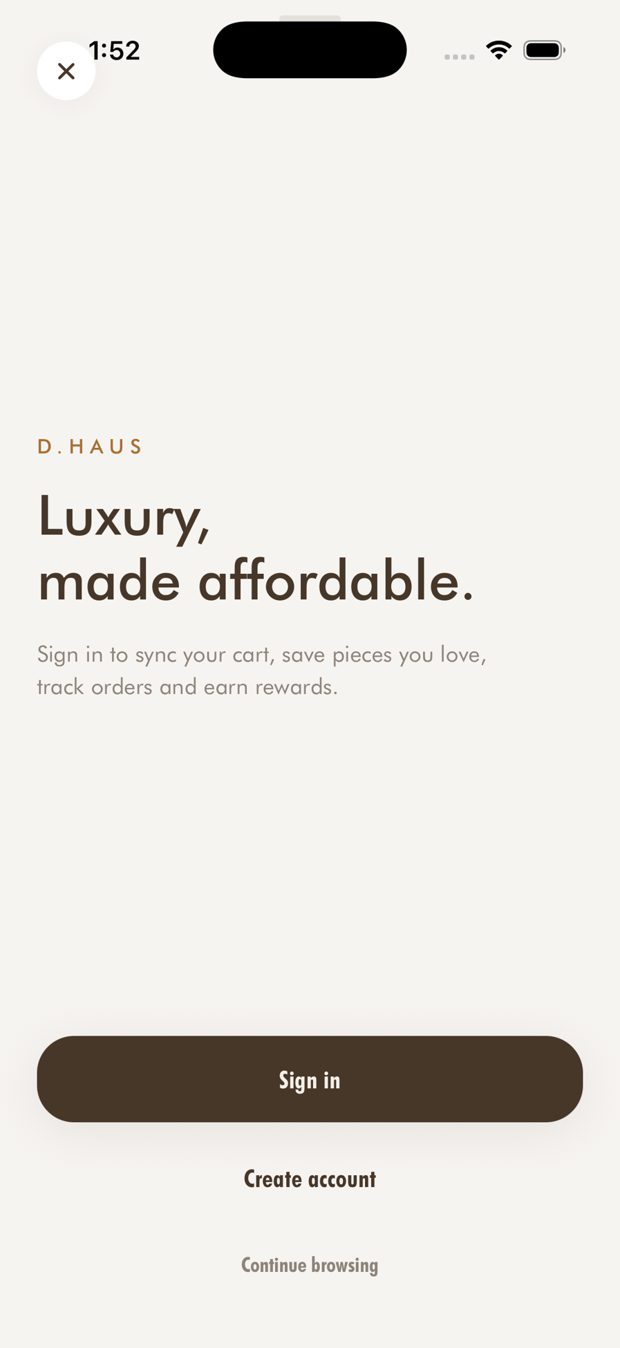
- Browse as a guest, or sign in or create an account at any time.
- Choose English or Arabic. Arabic switches the whole layout to right-to-left.
الترحيب والبداية
- ثلاث شاشات تعريفية قصيرة: «عِش بجمال»، «شاهدها في مساحتك»، «توصيل بعناية».
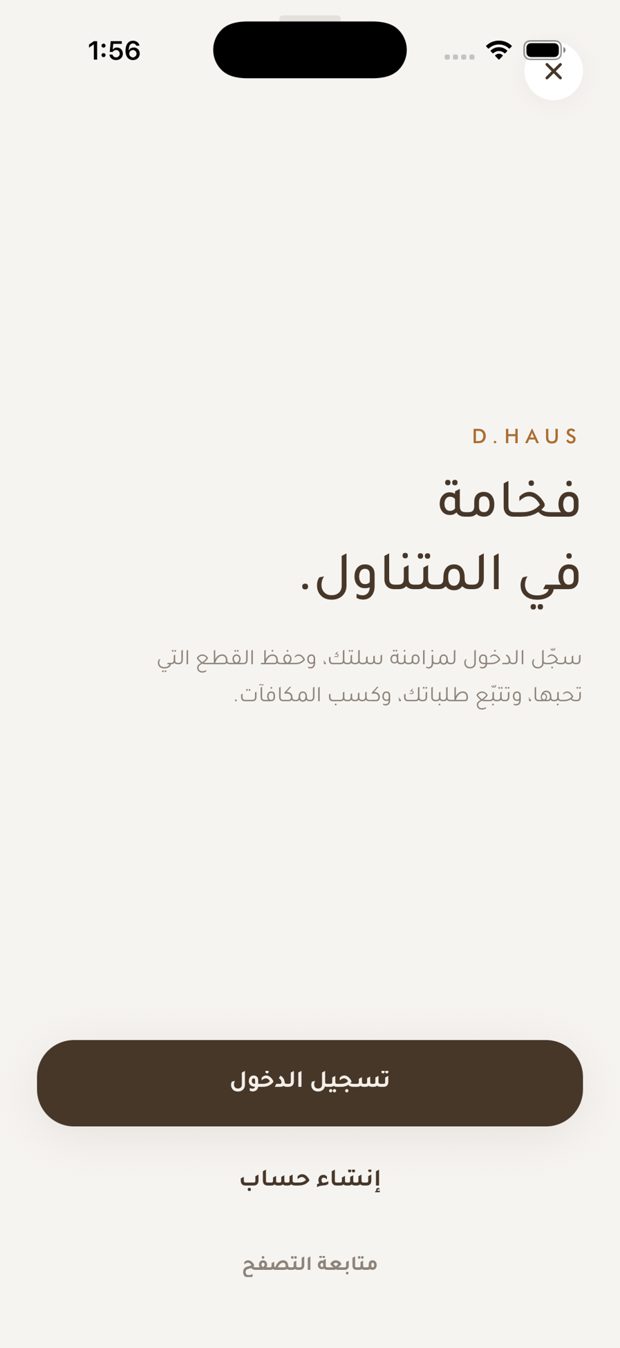
- تصفّح كزائر، أو سجّل الدخول أو أنشئ حساباً في أي وقت.
- اختر الإنجليزية أو العربية. اختيار العربية يقلب التخطيط كاملاً من اليمين إلى اليسار.
Storefront and language
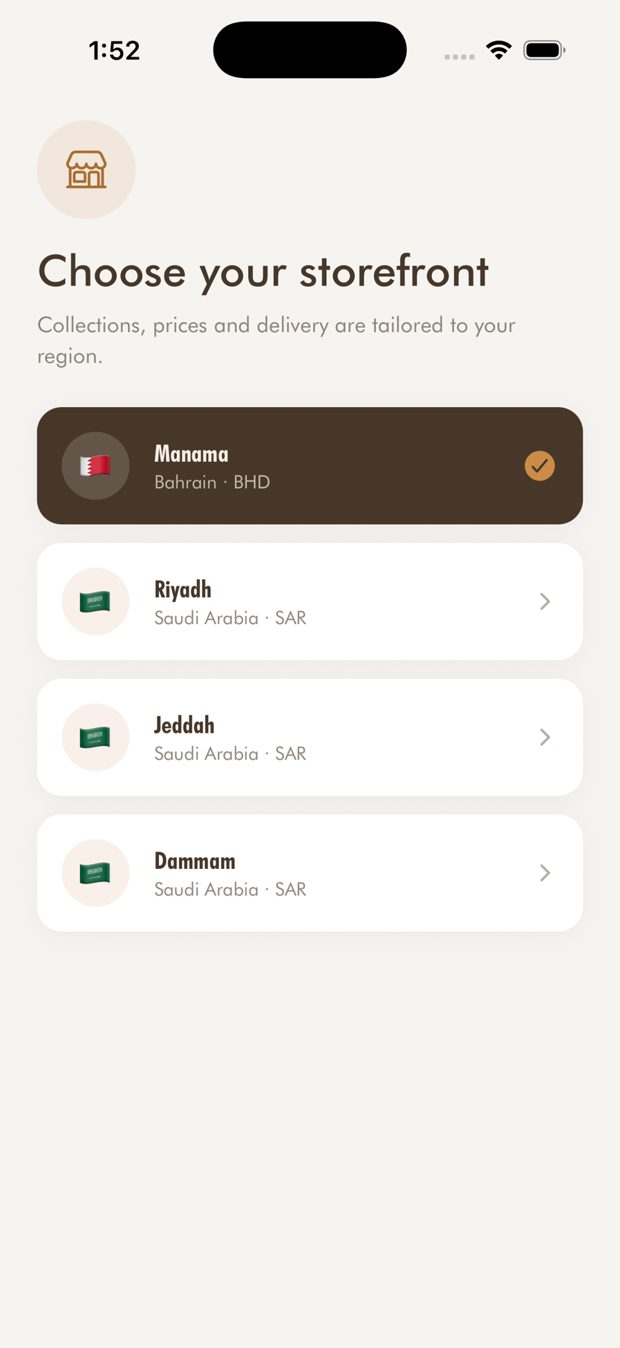
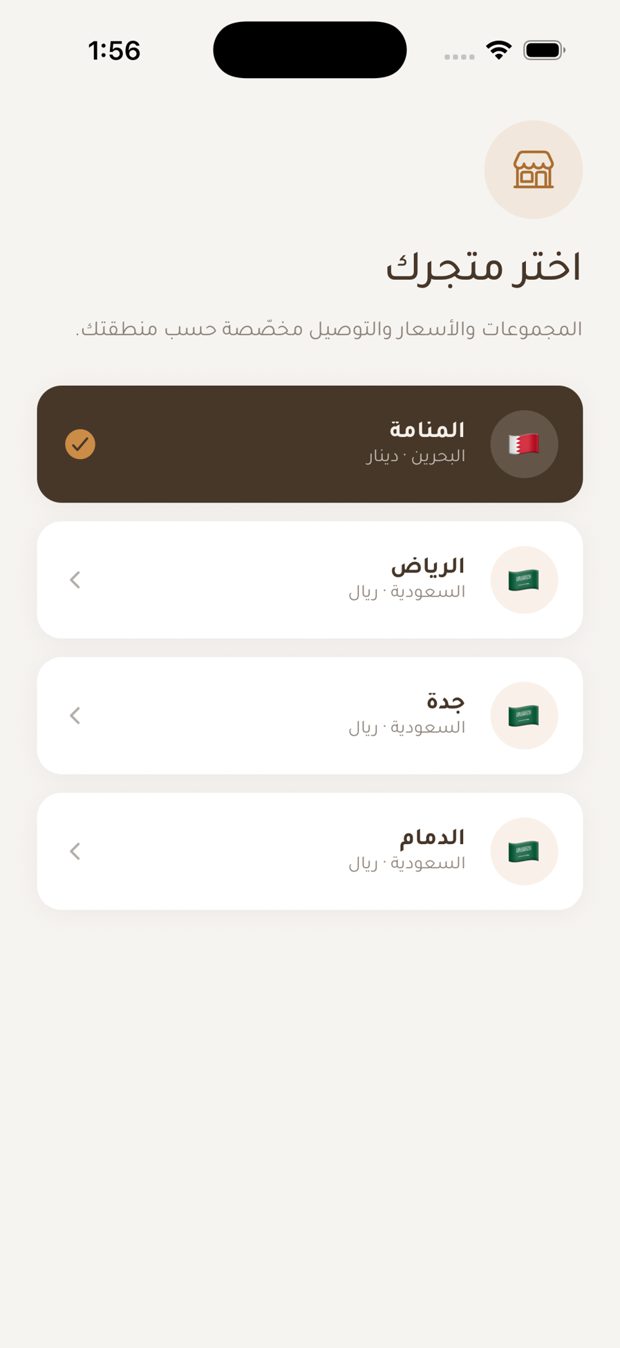
- Choose your storefront: Bahrain (Manama, BHD) or Saudi Arabia (Riyadh, Jeddah, Dammam, SAR). Collections, prices and delivery follow the storefront you pick.
- The app suggests a storefront from your location. Change it at any time from Region.
المتجر واللغة
- اختر متجرك: البحرين (المنامة، دينار) أو السعودية (الرياض، جدة، الدمام، ريال). المجموعات والأسعار والتوصيل تتبع المتجر الذي تختاره.
- يقترح التطبيق متجراً حسب موقعك. يمكنك تغييره في أي وقت من صفحة المنطقة.
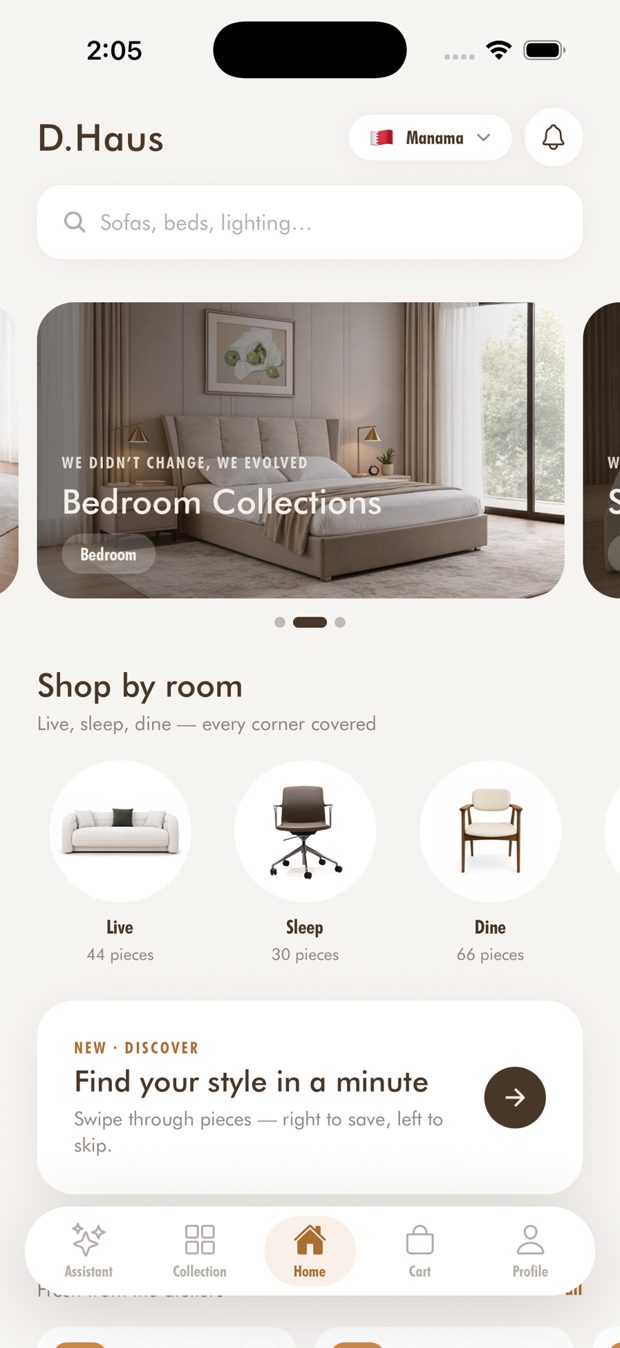
Home
- Hero banners for current campaigns. Each storefront sees its own banners, in the order the team sets.
- "Shop by room" circles (Live, Sleep, Dine, Accessories, Outlet) with the number of pieces in each.
- New arrivals, a Discover card, and search at the top of the page.
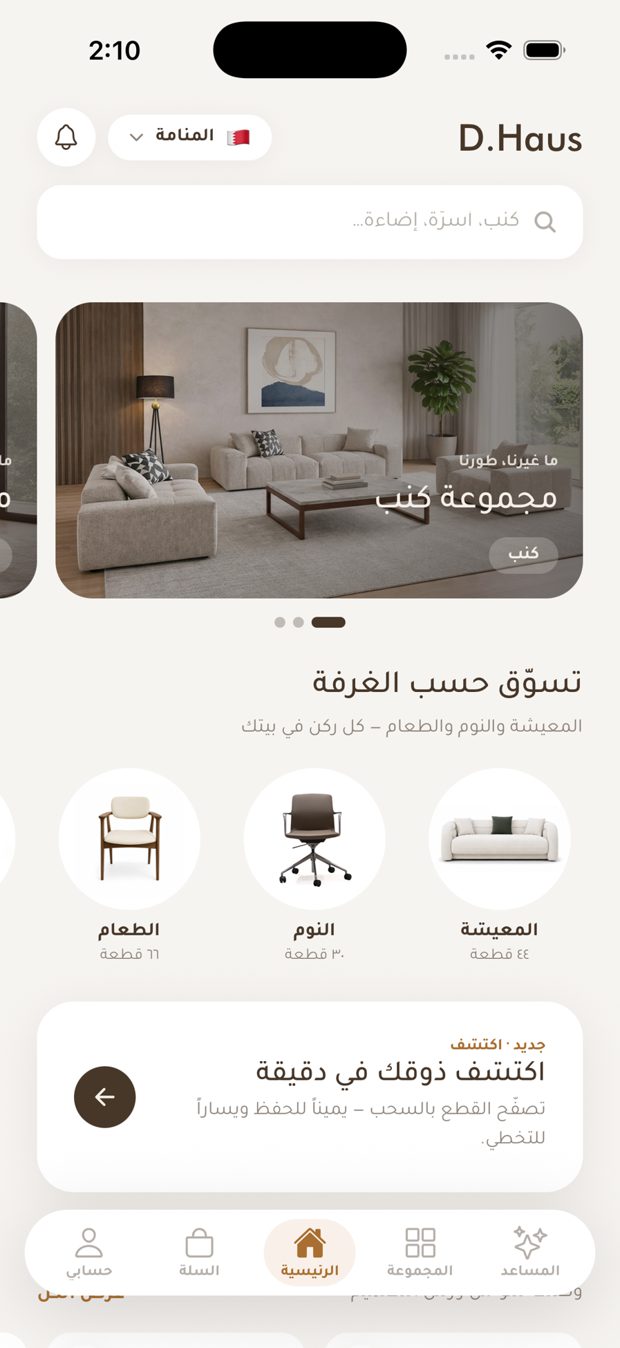
الرئيسية
- لافتات رئيسية للحملات الحالية. يرى كل متجر لافتاته الخاصة بالترتيب الذي يحدده الفريق.
- دوائر «تسوّق حسب الغرفة» (المعيشة، النوم، الطعام، الإكسسوارات، التخفيضات) مع عدد القطع في كل منها.
- وصل حديثاً، وبطاقة «اكتشف»، والبحث في أعلى الصفحة.
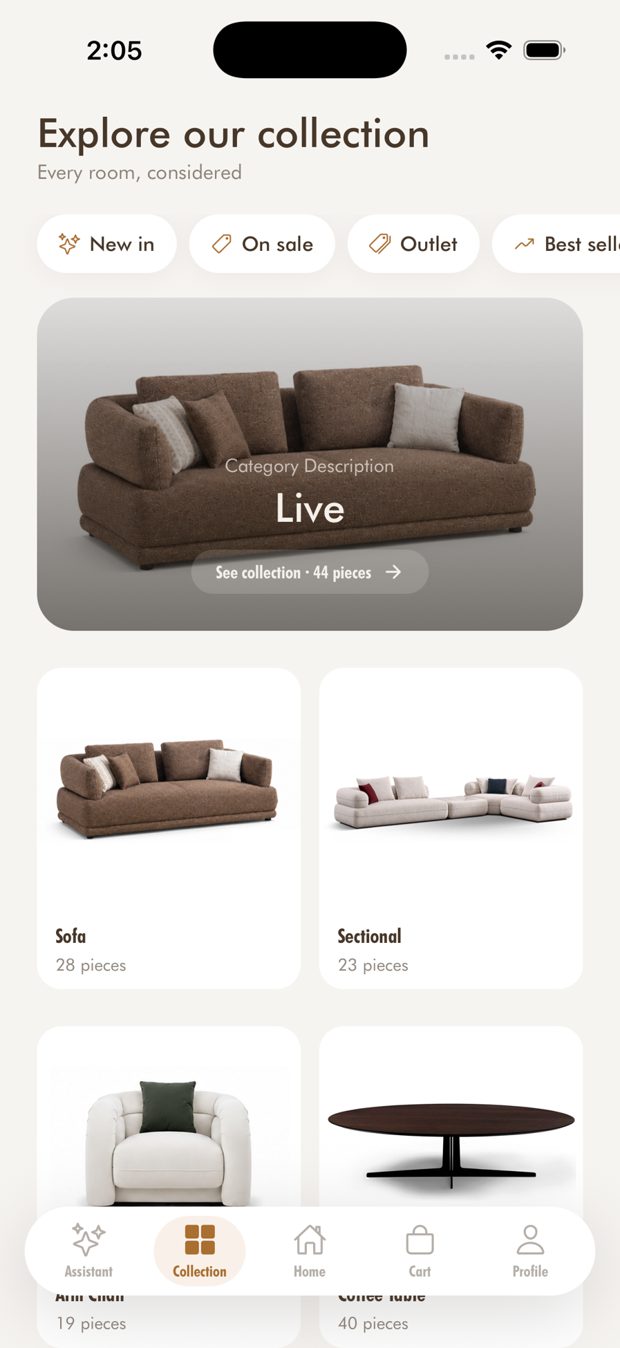
Browse, search and filters
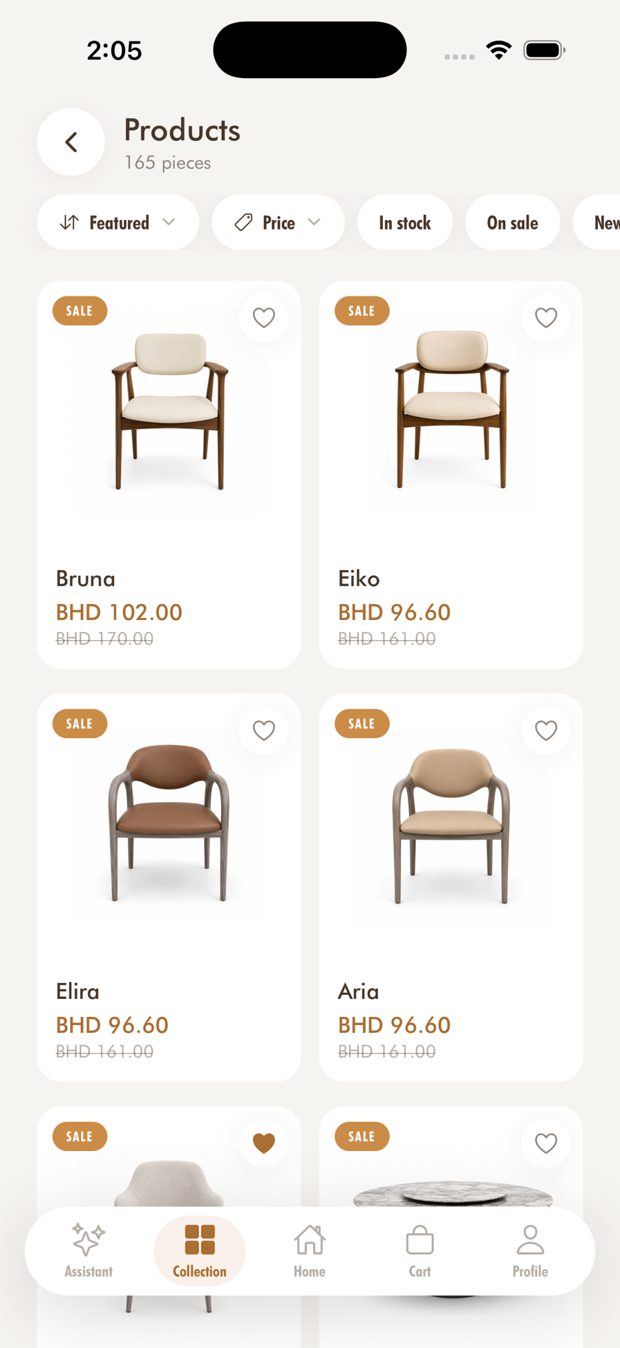
- Collection page with category banners and tiles.
- Product lists with filters: sort, Price, In stock, On sale, New in.
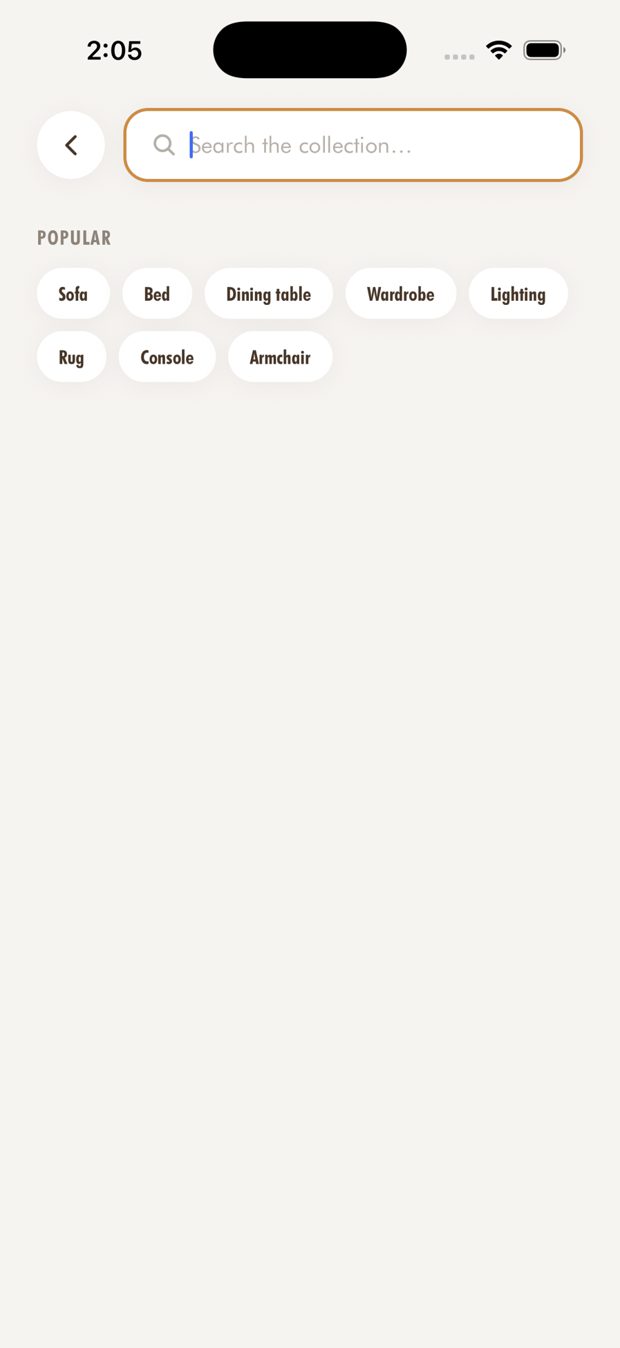
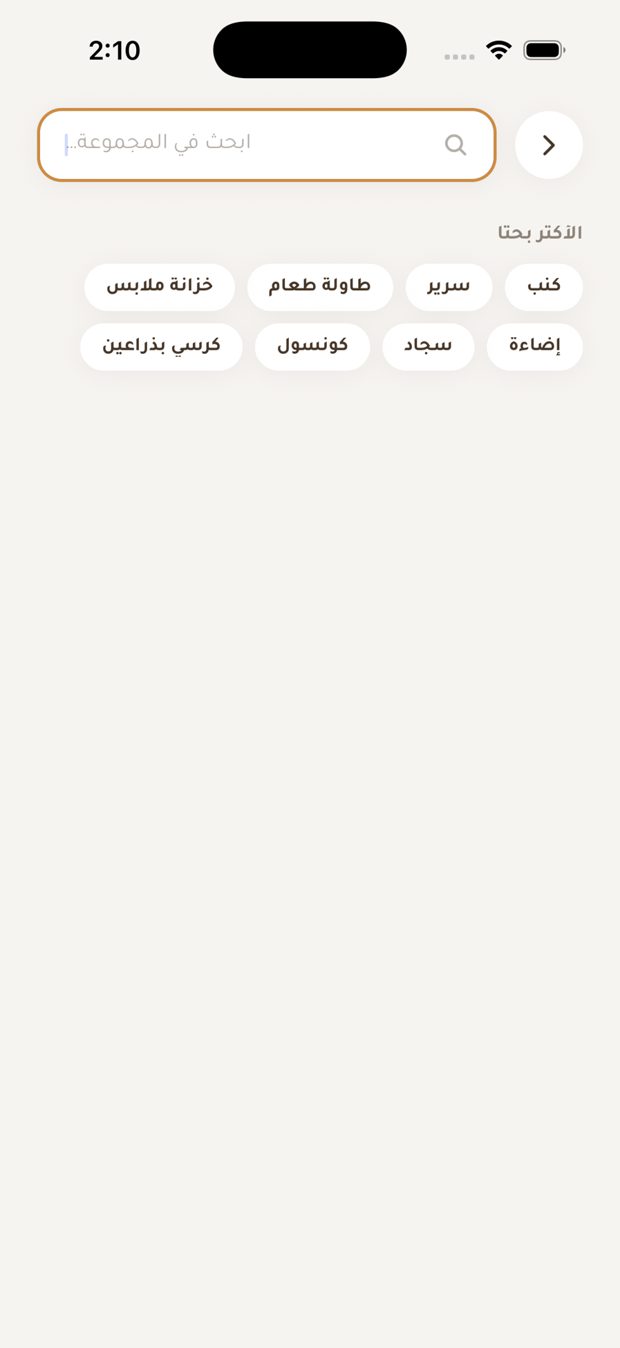
- Search shows popular searches and your recent searches.
- A sold-out piece shows "Notify me" instead of a dead button.
التصفح والبحث والفلاتر
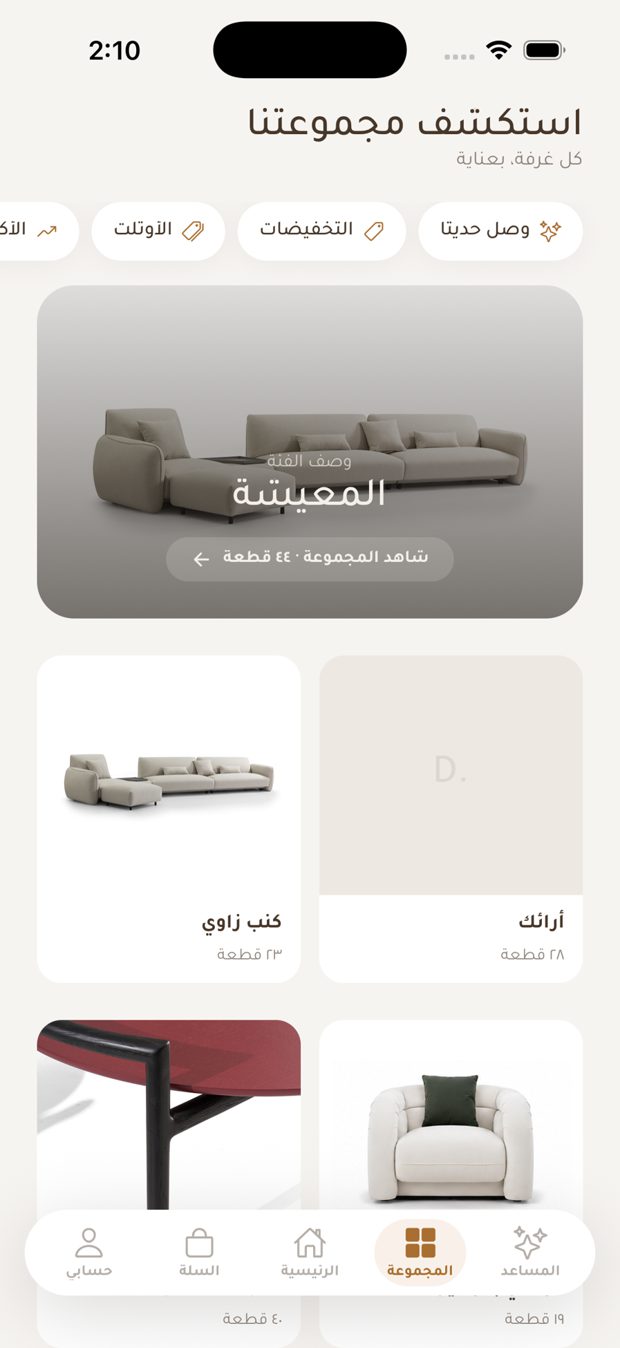
- صفحة المجموعة مع لافتات الفئات وبطاقاتها.
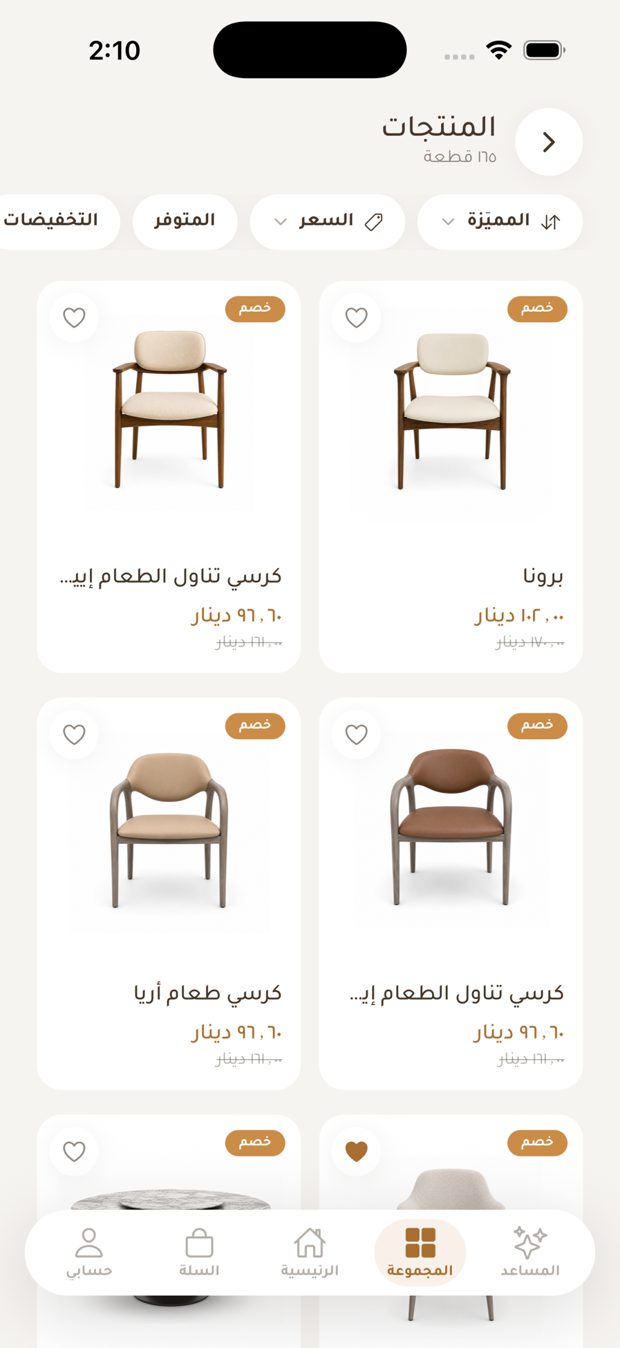
- قوائم المنتجات مع فلاتر: الترتيب، السعر، المتوفر، عليه تخفيض، جديد.
- البحث يعرض عمليات البحث الشائعة وعمليات بحثك الأخيرة.
- القطعة المباعة تعرض «أعلمني» بدلاً من زر لا يعمل.
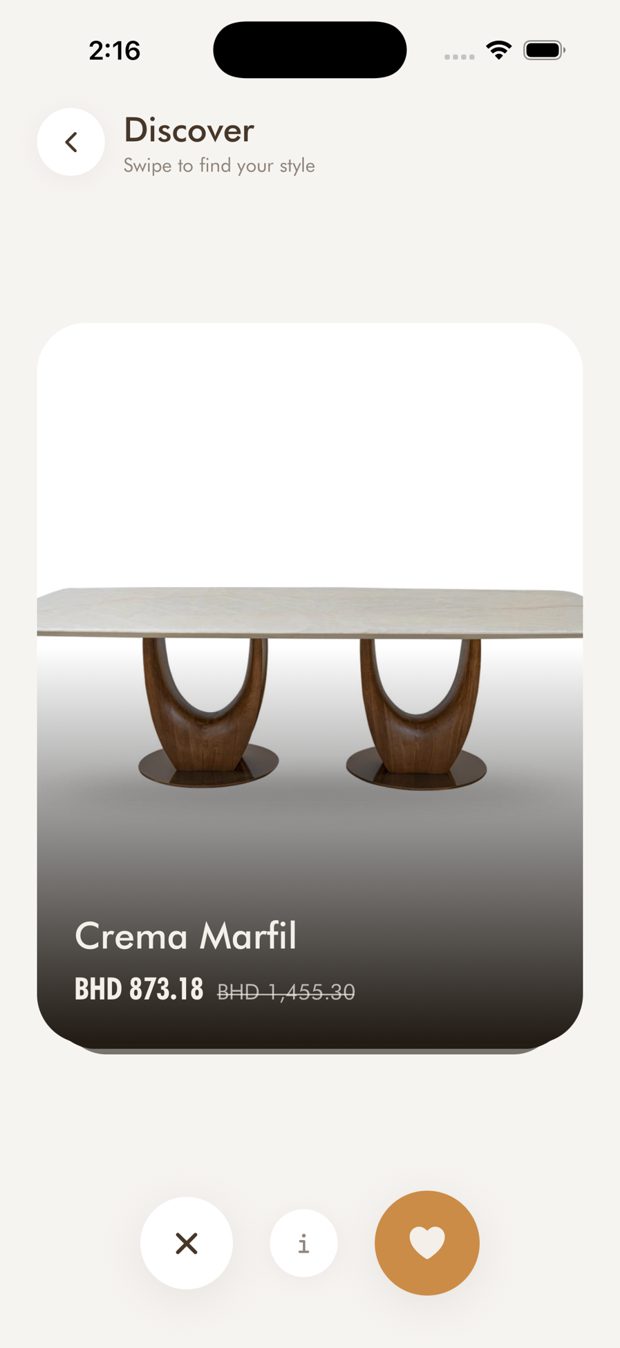
Discover: swipe to find your style
- Swipe through pieces one at a time. Swipe right to save, left to skip, or tap a card for details.
- Saved pieces go to your Saved list.
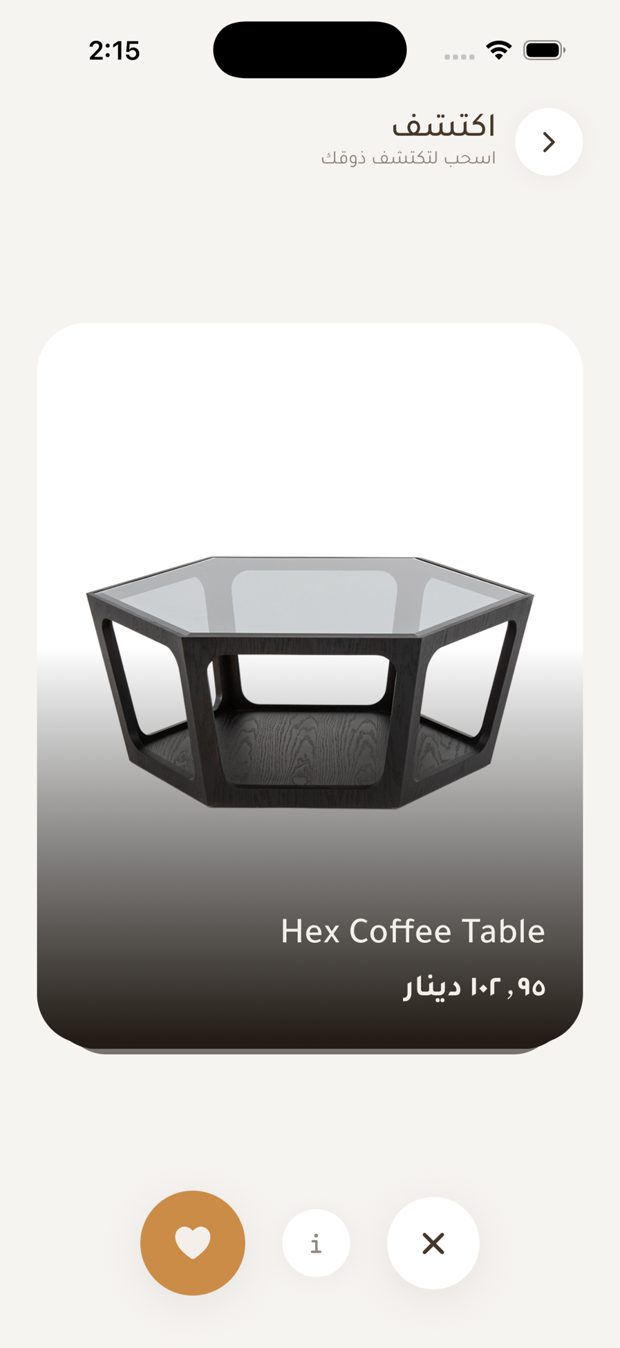
اكتشف: اسحب لتجد أسلوبك
- اسحب بين القطع واحدة تلو الأخرى. اسحب يميناً للحفظ، ويساراً للتخطي، أو اضغط البطاقة للتفاصيل.
- القطع المحفوظة تنتقل إلى قائمة المحفوظات.
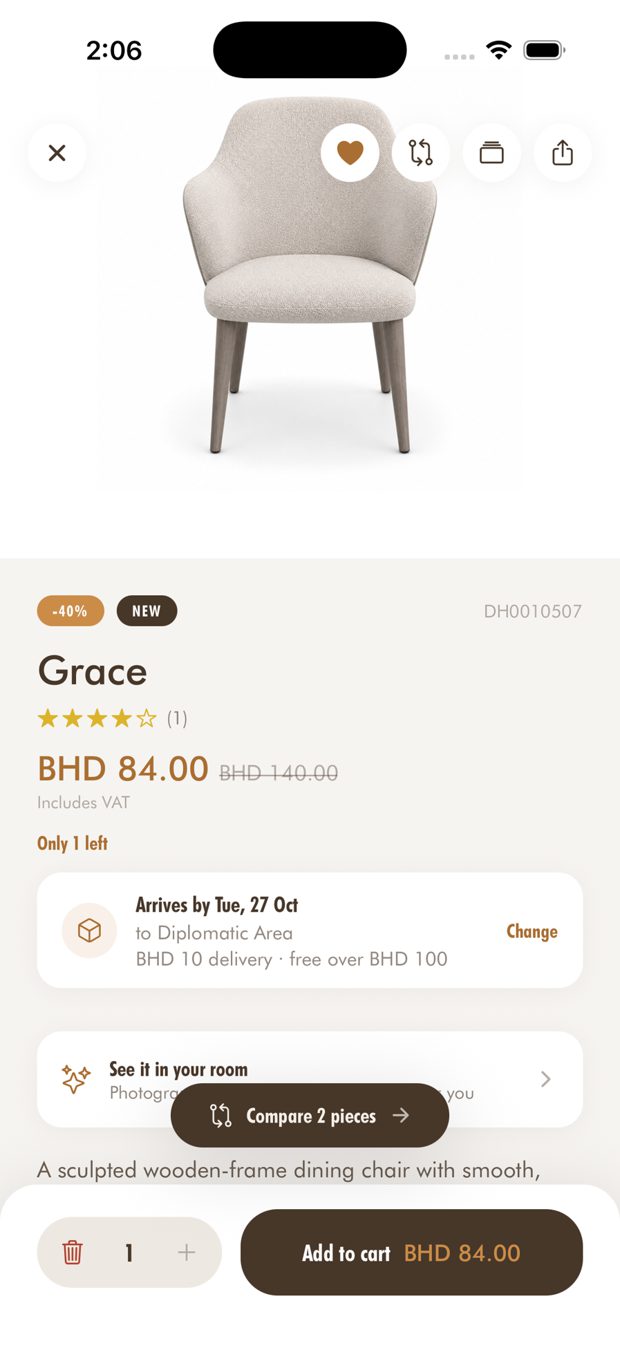
Product page
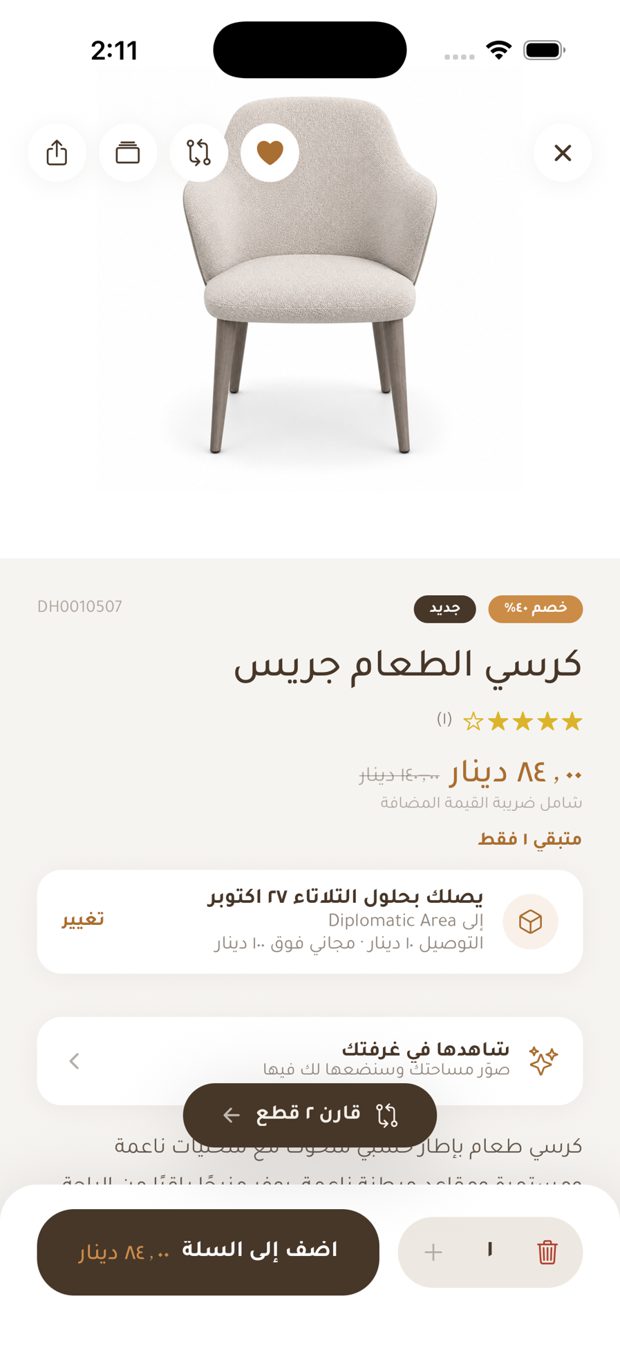
- Photo gallery, price with any discount, VAT note, and stock left (for example "Only 3 left").
- Ratings and reviews. Customers who bought a piece can leave a review.
- Dimensions and a short description.
- Add to cart with a quantity. Share sends the dhaus.com web link.
- Heart to save, compare, "See it in your room" and "Will it fit?" are all on the page.
صفحة المنتج
- معرض صور، والسعر مع أي تخفيض، وملاحظة الضريبة، والكمية المتبقية (مثل «متبقي 3 فقط»).
- التقييمات والمراجعات. يمكن للعملاء الذين اشتروا القطعة ترك مراجعة.
- الأبعاد ووصف قصير.
- أضف إلى السلة بالكمية المطلوبة. زر المشاركة يرسل رابط dhaus.com.
- زر القلب للحفظ، والمقارنة، و«شاهدها في غرفتك»، و«هل تناسب مساحتي؟» كلها في الصفحة.
Will it fit my space?
- Enter the width, height and length of your space once, under My space in Profile.
- Product cards and product pages then show Fits, Tight fit or Won't fit, with the margin left over.
- The check appears only for pieces whose dimensions are known.
هل تناسب مساحتي؟
- أدخل عرض المساحة وارتفاعها وطولها مرة واحدة، من «مساحتي» في الحساب.
- بطاقات المنتجات وصفحاتها تعرض: تناسب، تناسب بصعوبة، أو لا تناسب، مع الفراغ المتبقي.
- يظهر الفحص فقط للقطع التي تُعرف أبعادها.
Compare
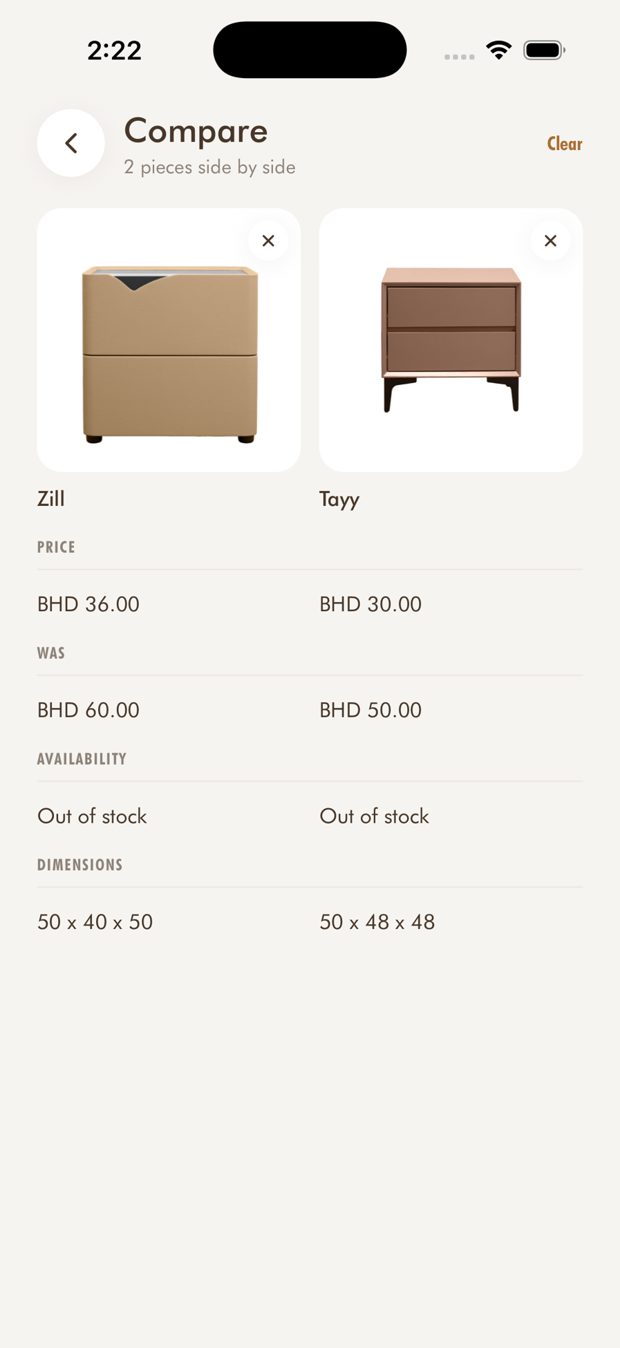
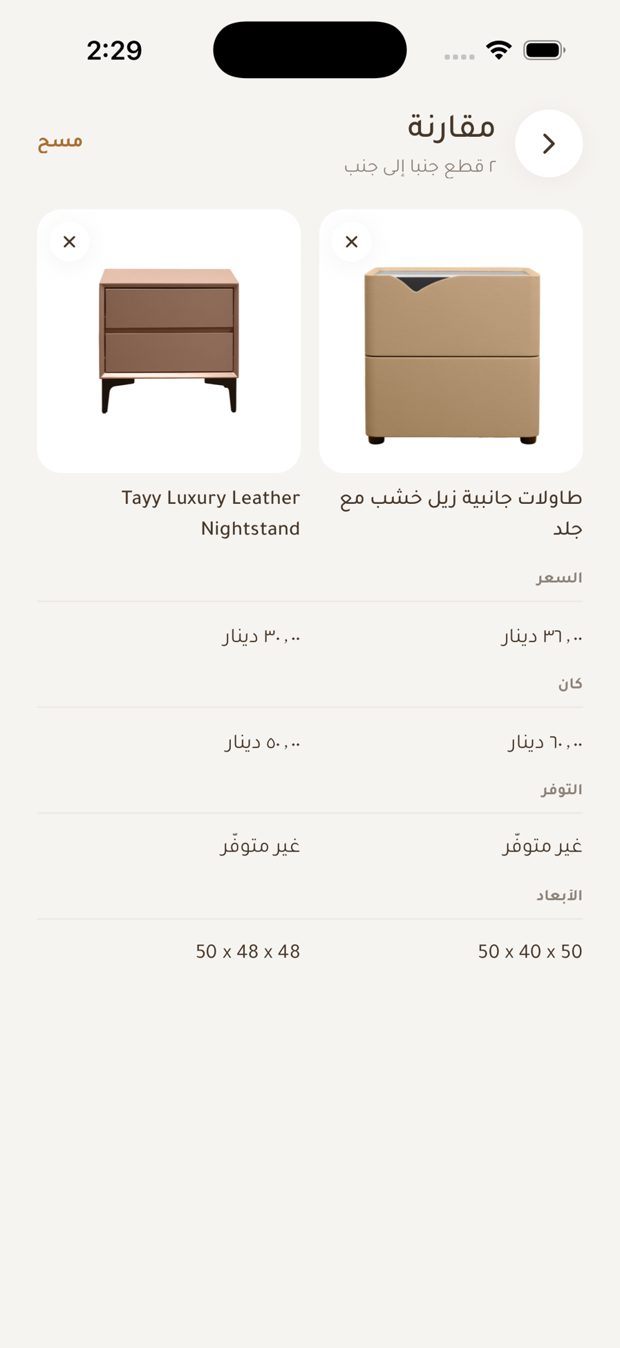
- Tap the compare icon on up to three pieces to see price, size and stock side by side.
مقارنة
- اضغط أيقونة المقارنة على ما يصل إلى ثلاث قطع لترى السعر والحجم والتوفر جنباً إلى جنب.
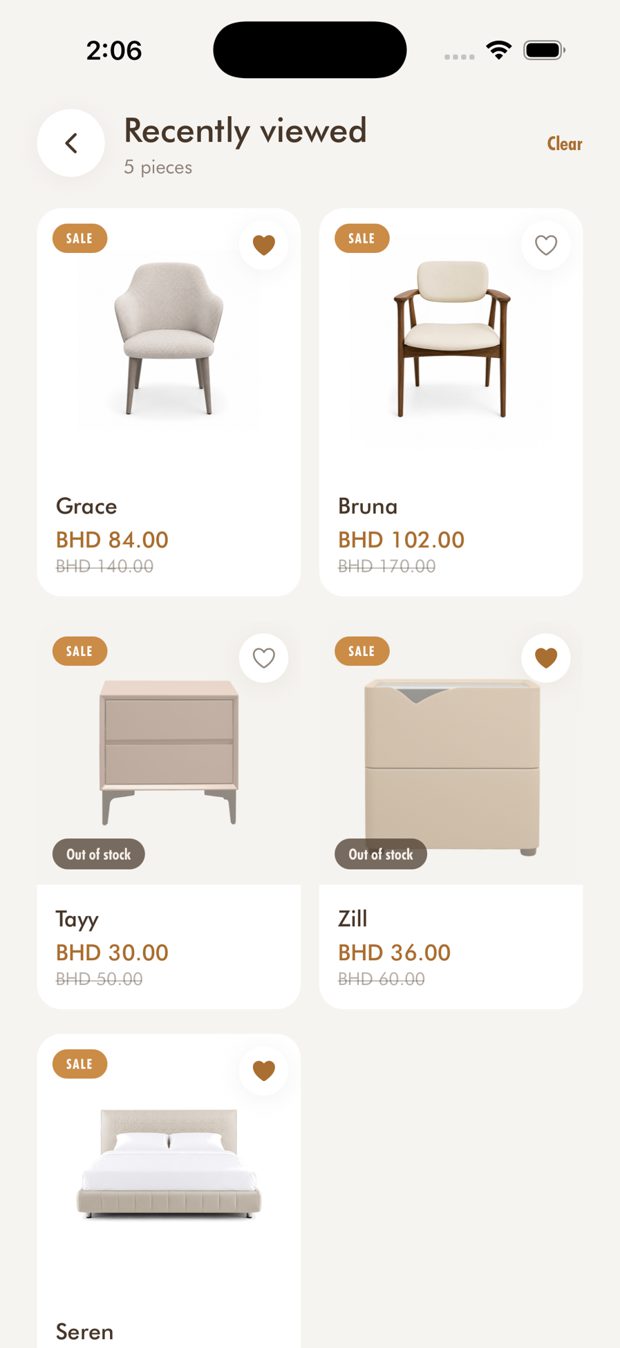
Saved and recently viewed
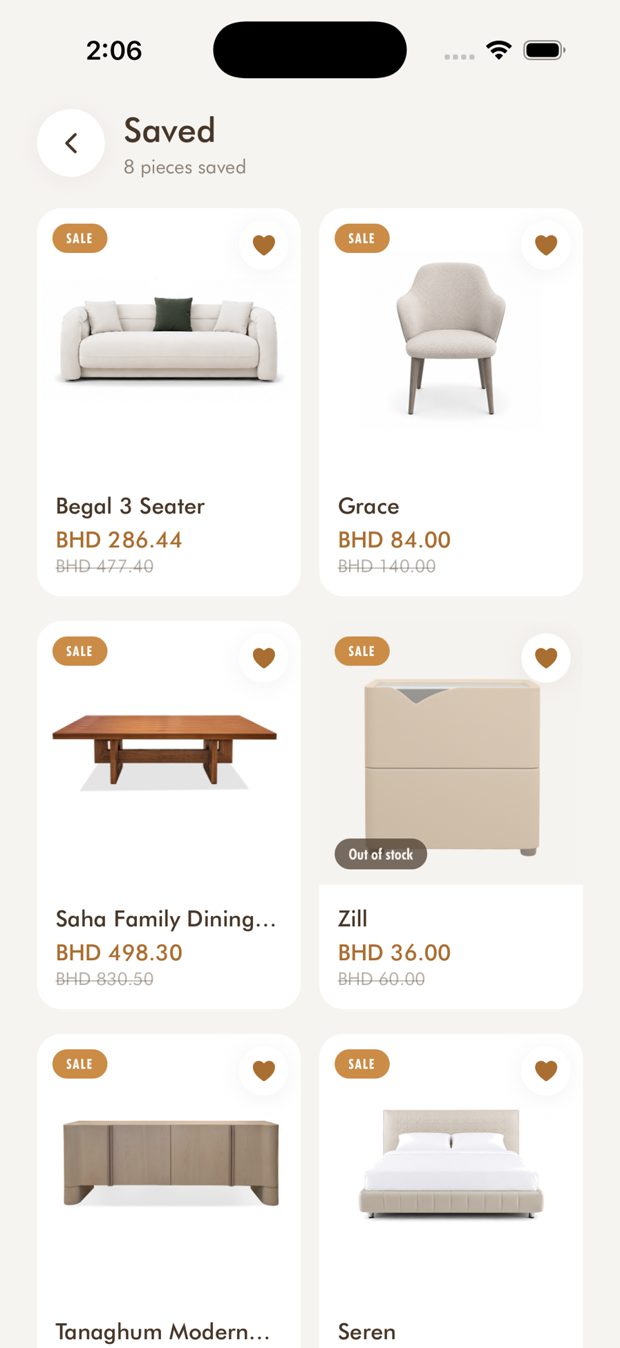
- Heart any piece to keep it in Saved.
- Sign in to keep your saved pieces in sync across your devices.
- Recently viewed keeps the pieces you looked at.
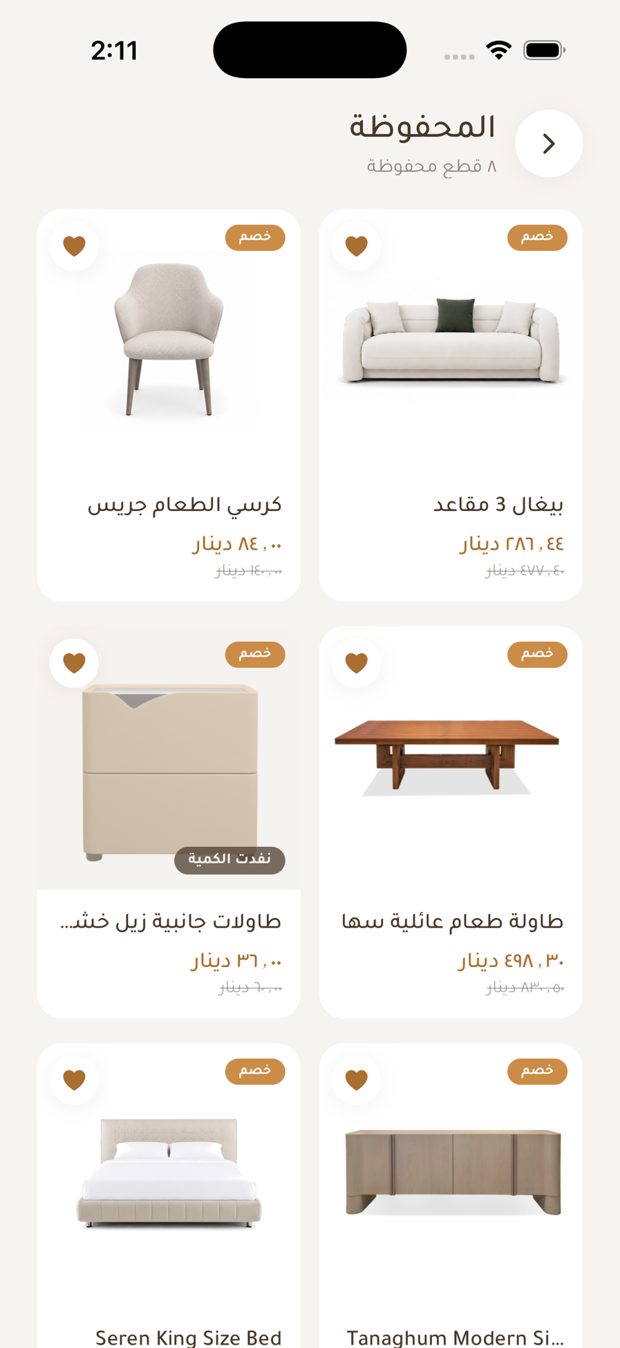
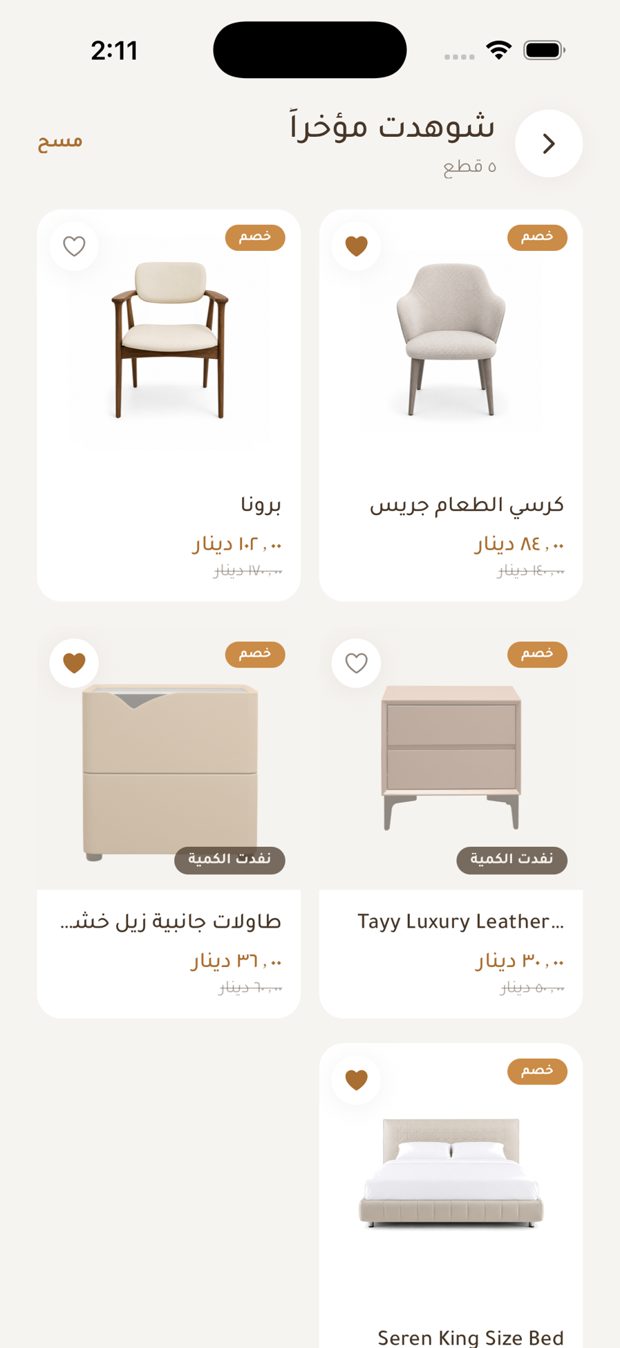
المحفوظات والمشاهدة مؤخراً
- اضغط القلب على أي قطعة لحفظها في المحفوظات.
- سجّل الدخول لتبقى قطعك المحفوظة متزامنة بين أجهزتك.
- المشاهدة مؤخراً تحتفظ بالقطع التي تصفحتها.
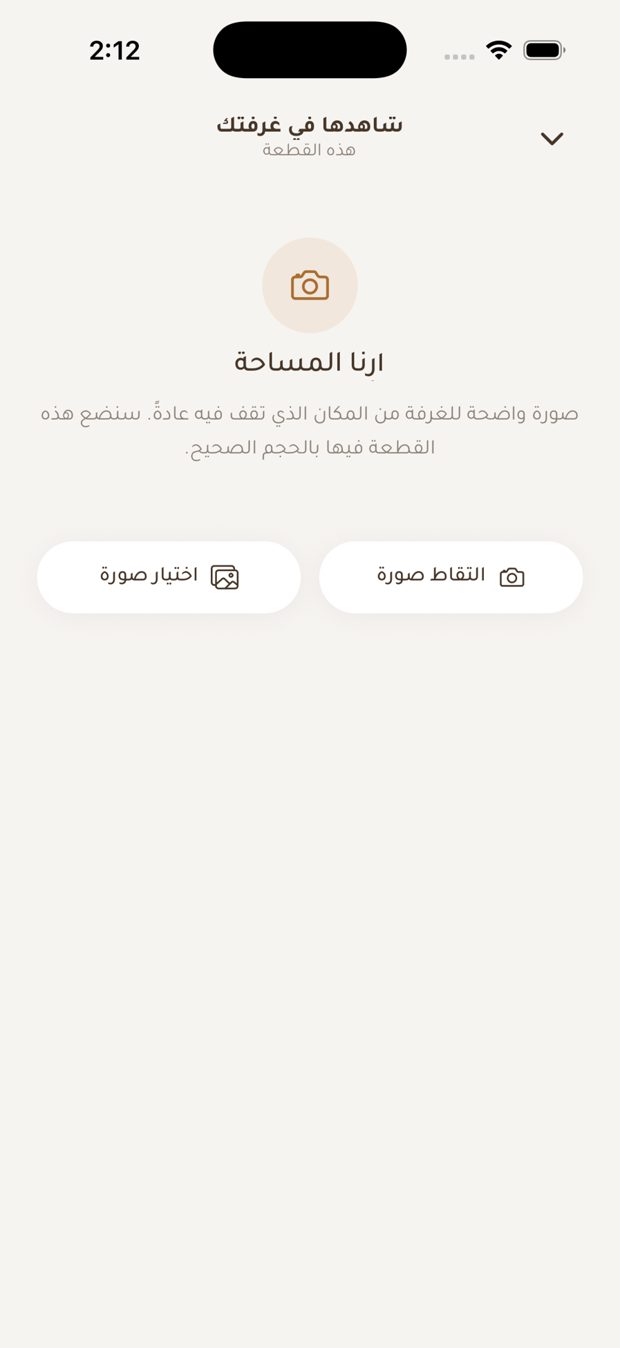
See it in your room *
- Sign in, photograph your room (or choose a photo), and the piece is placed in it to scale.
- Save the result to Photos, or design it again.
- Up to 10 designs per rolling 12 hours. The remaining allowance shows as you use it.
- Room designs are generated with Google Gemini (see Privacy).
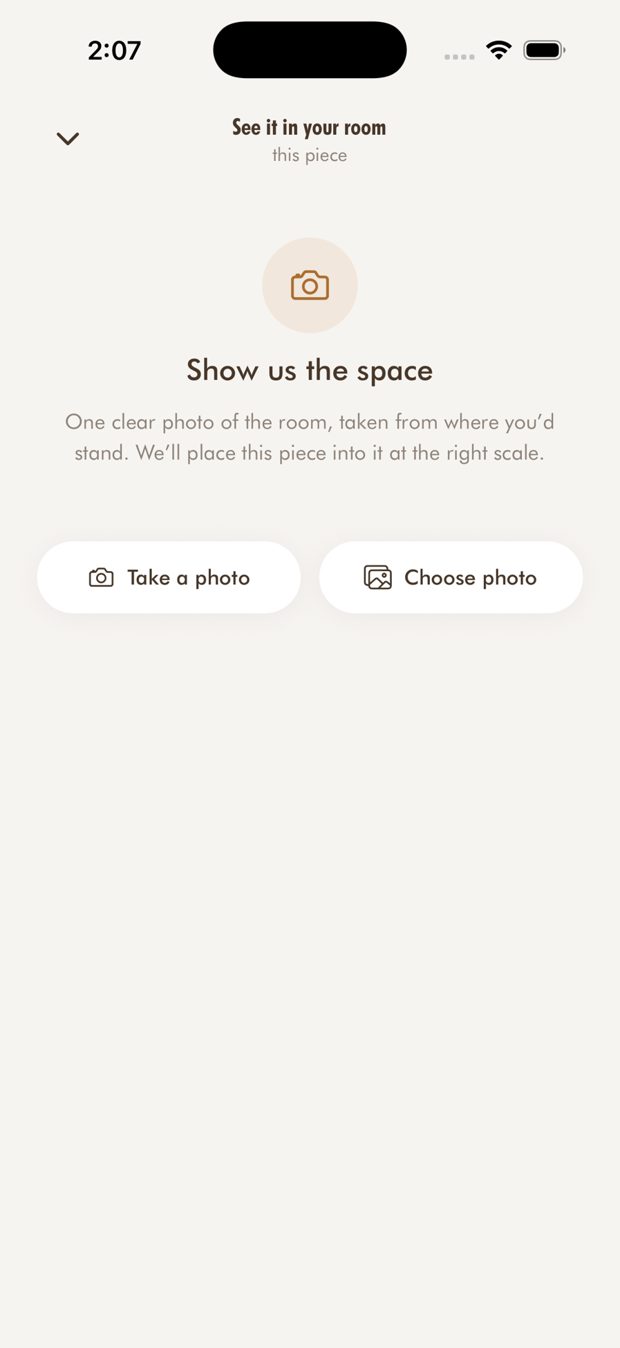
شاهدها في غرفتك *
- سجّل الدخول، وصوّر غرفتك (أو اختر صورة)، وتُوضع القطعة فيها بالحجم الصحيح.
- احفظ النتيجة في الصور، أو صمّمها من جديد.
- حتى 10 تصاميم كل 12 ساعة متتالية. الرصيد المتبقي يظهر أثناء الاستخدام.
- تصاميم الغرف تُنشأ عبر Google Gemini (راجع الخصوصية).
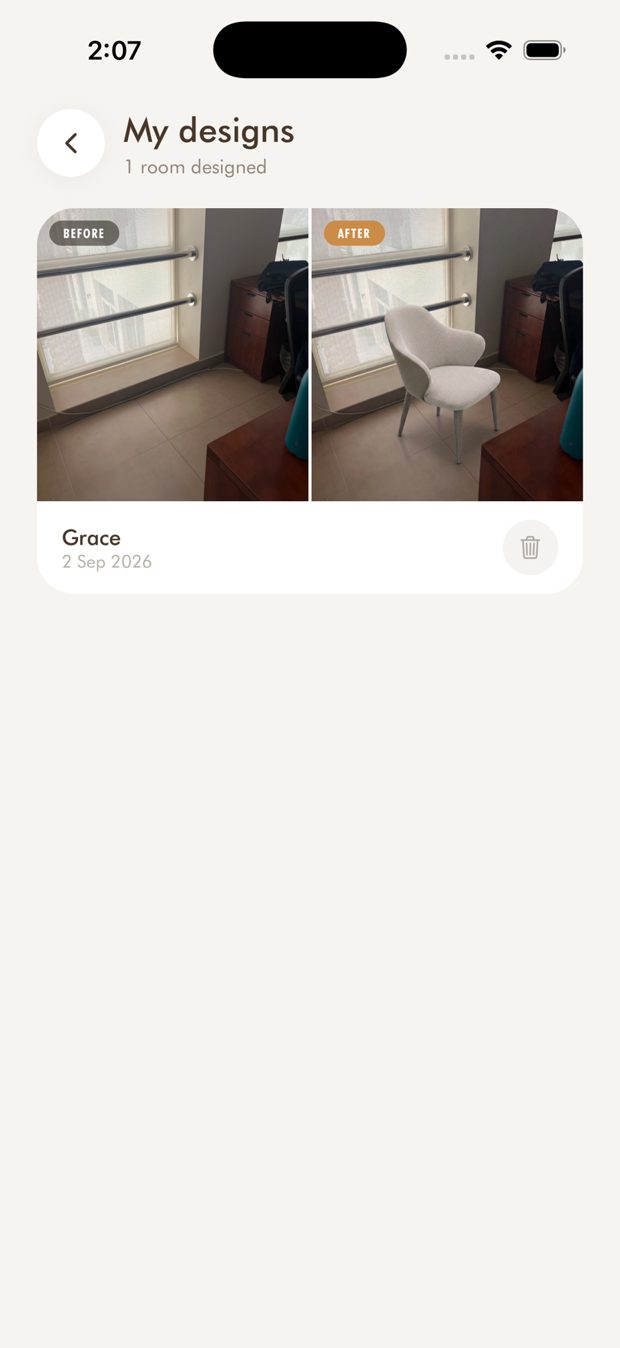
My designs *
- Every room you design is kept as a before-and-after pair.
- Keep, delete, or open the piece you used.
- Designs are kept per storefront.
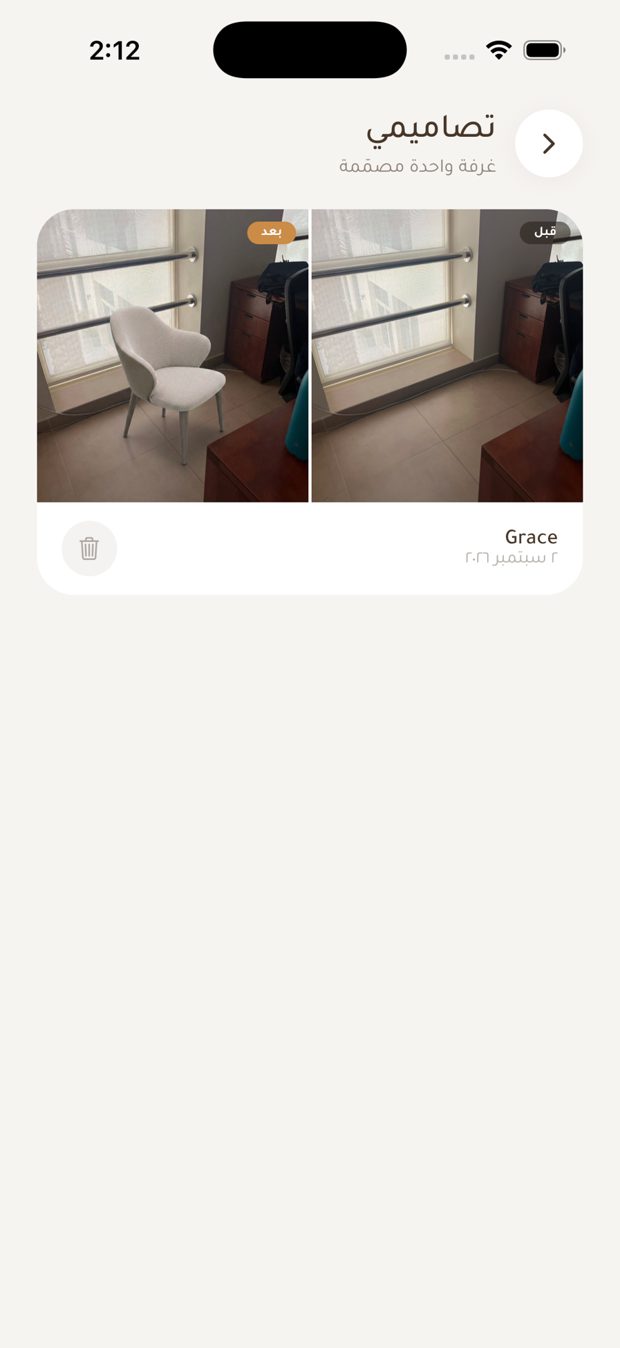
تصاميمي *
- كل غرفة تصممها تُحفظ كزوج «قبل وبعد».
- احتفظ بالتصميم أو احذفه، أو افتح القطعة التي استخدمتها.
- التصاميم محفوظة لكل متجر على حدة.
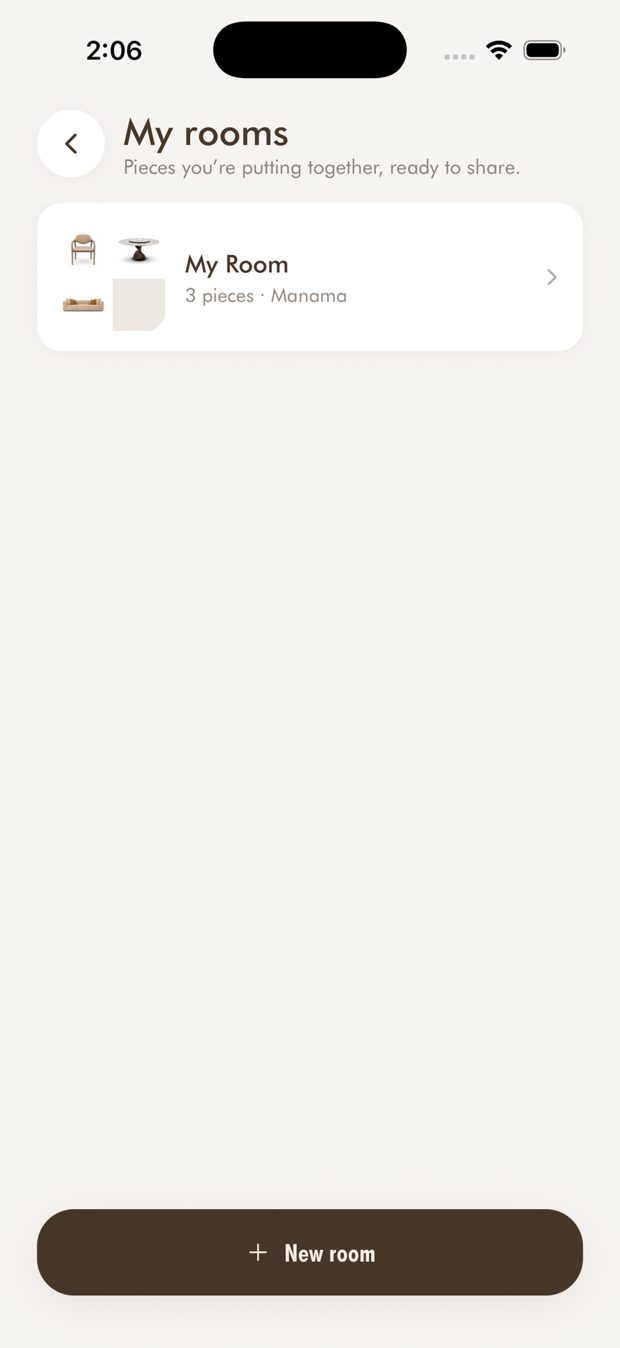
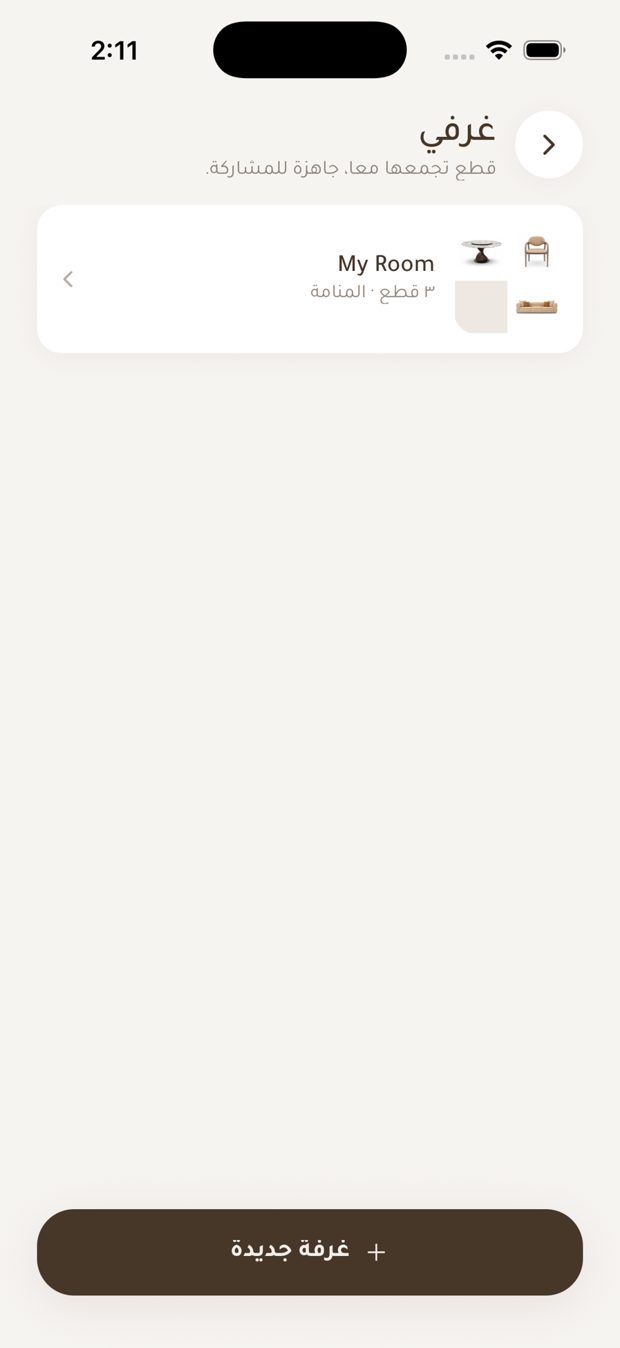
My rooms: share a collection by link *
- Name a room, add pieces from any product page, and share the room with one link.
- Anyone who opens the link on dhaus.com can save the room or add all its pieces to their cart.
- Rooms belong to one storefront.
غرفي: شارك مجموعتك برابط *
- سمِّ الغرفة، وأضف قطعاً من أي صفحة منتج، وشاركها برابط واحد.
- أي شخص يفتح الرابط على dhaus.com يمكنه حفظ الغرفة أو إضافة كل قطعها إلى سلته.
- كل غرفة تتبع متجراً واحداً.
D.Haus Assistant: your AI shopping concierge
- Open the Assistant from the tab bar (the sparkle icon). A short tip introduces it the first time.
- Describe what you want in plain words: a style, a room, a budget. For example: "a dining table for six under BHD 500".
- Not sure where to start? Use a suggestion: "I'm looking for a sofa", "Suggest a dining table", "Ideas for elegant lighting", or "What's on sale right now?"
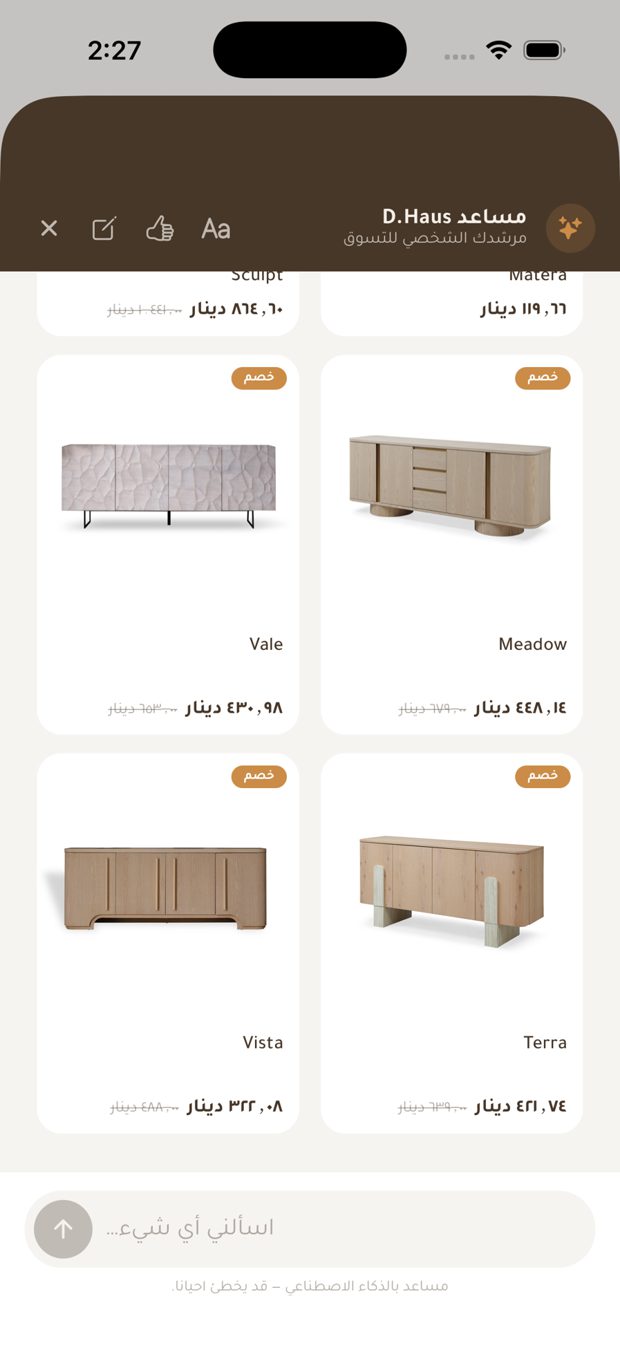
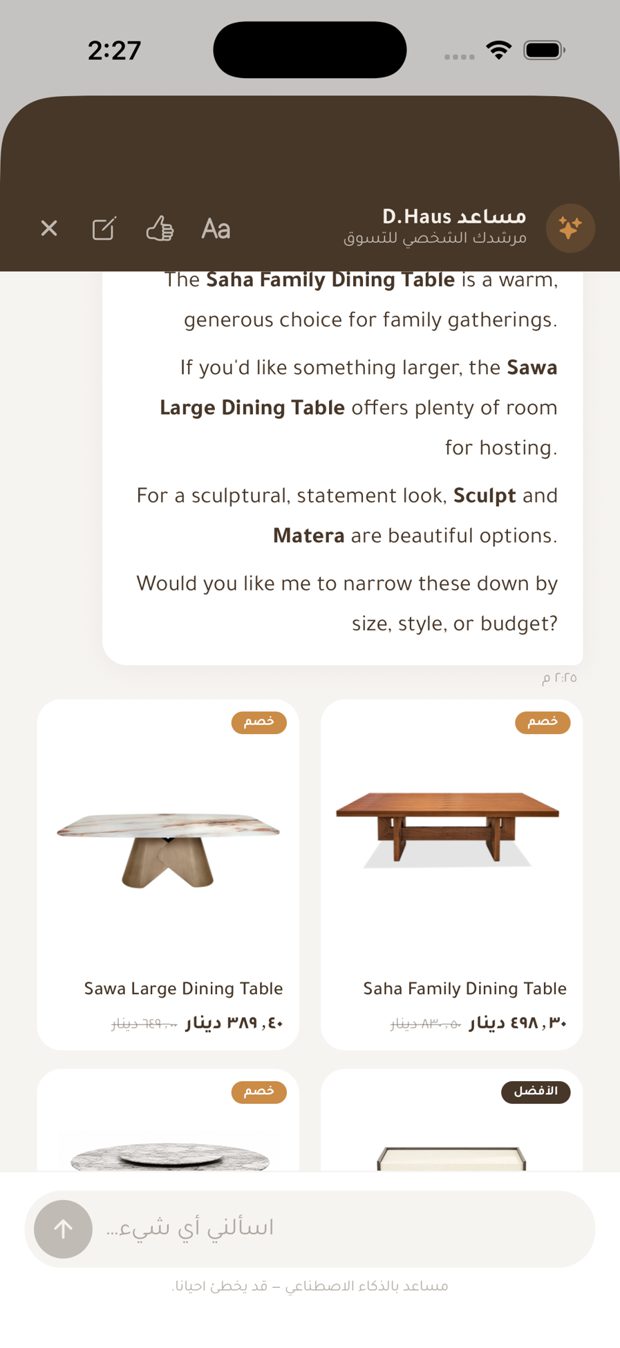
- Replies come in the language you type in, with product cards. Tap a card to open the product page, with the current price, discount and stock.
- The assistant can also add pieces to your cart or wishlist, hand you over to the team on WhatsApp, or open your cart, wishlist, orders or account.
- Answers are AI-generated and may occasionally be inaccurate, so check the price and stock on the product page before you buy.
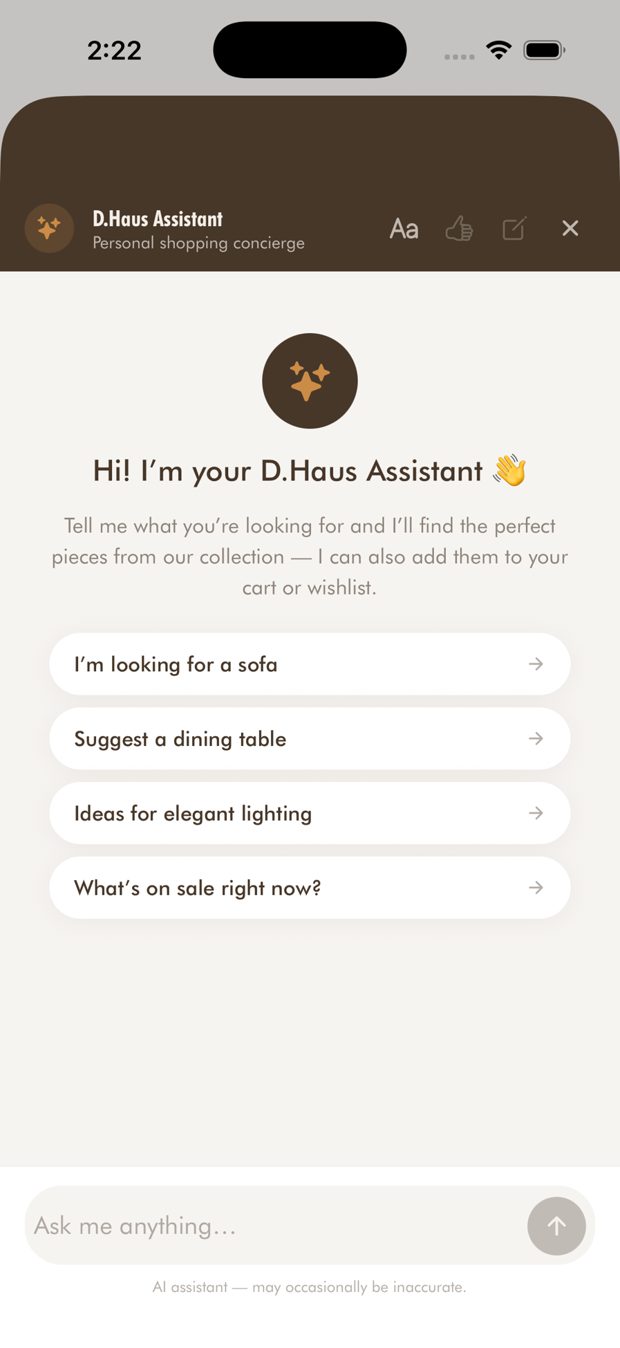
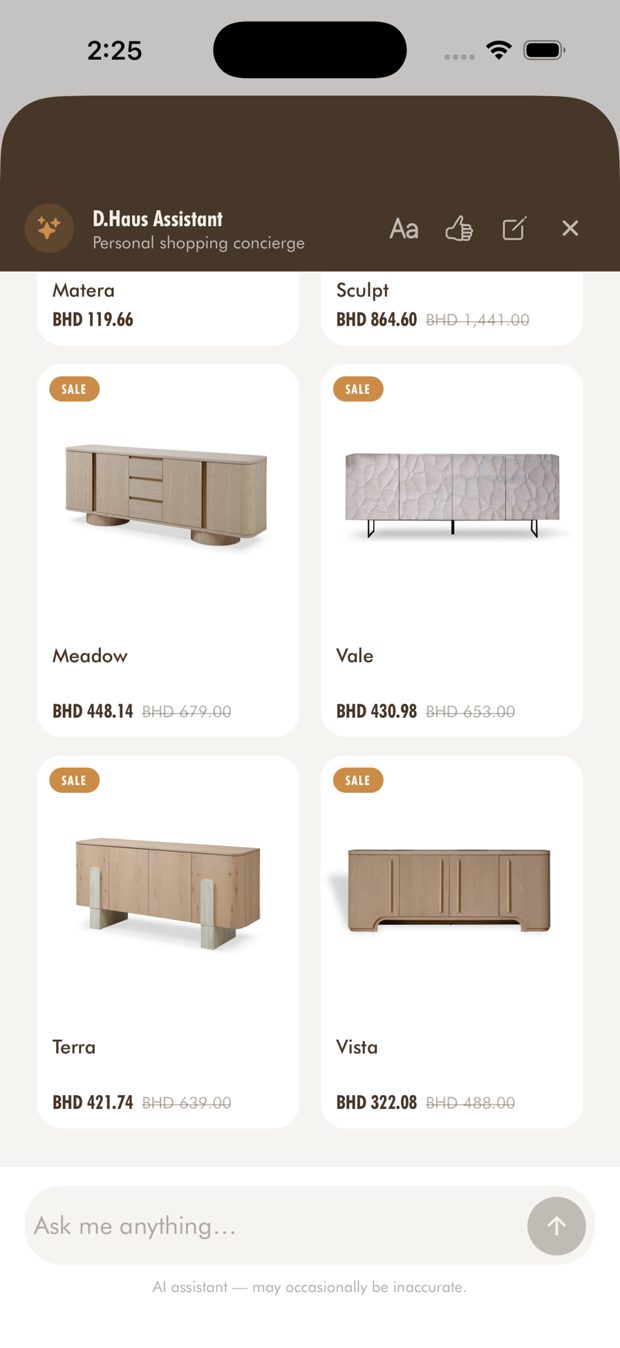
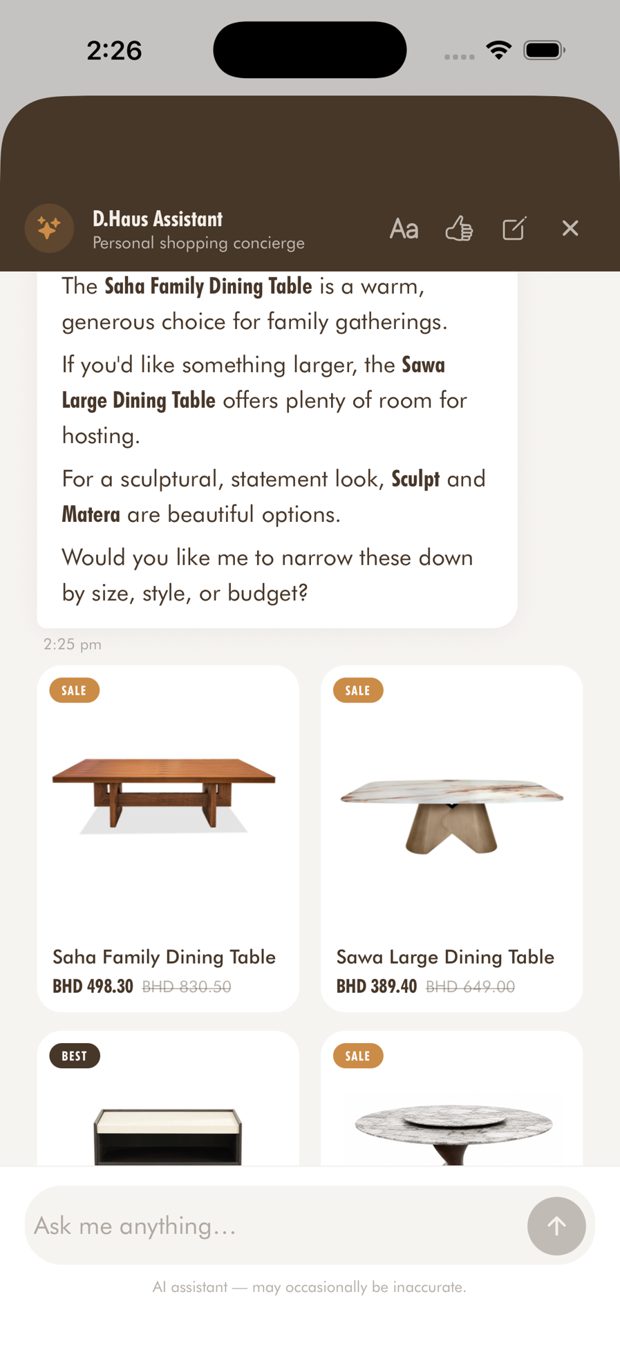
مساعد D.Haus: مستشارك الذكي للتسوق
- افتح المساعد من شريط التبويب (أيقونة النجوم). تظهر نصيحة قصيرة تعرّفك به عند أول استخدام.
- صِف ما تريد بكلماتك: أسلوب، أو غرفة، أو ميزانية. مثلاً: «طاولة طعام لستة أشخاص بأقل من 500 دينار».
- إن لم تكن متأكداً من البداية، استخدم أحد الاقتراحات: «أبحث عن كنبة»، «اقترح لي طاولة طعام»، «أفكار لإضاءة أنيقة»، أو «ما هي التخفيضات الحالية؟»
- تأتي الردود باللغة التي تكتب بها، ومعها بطاقات منتجات. اضغط البطاقة لفتح صفحة المنتج بالسعر والخصم والتوفر الحاليين.
- يمكن للمساعد أيضاً إضافة القطع إلى سلتك أو قائمة المحفوظات، وتحويلك إلى فريقنا على واتساب، أو فتح السلة والمحفوظات والطلبات والحساب.
- الإجابات مولّدة بالذكاء الاصطناعي وقد تكون غير دقيقة أحياناً، لذا تحقق من السعر والتوفر في صفحة المنتج قبل الشراء.
Chat controls: text size, feedback and new chat
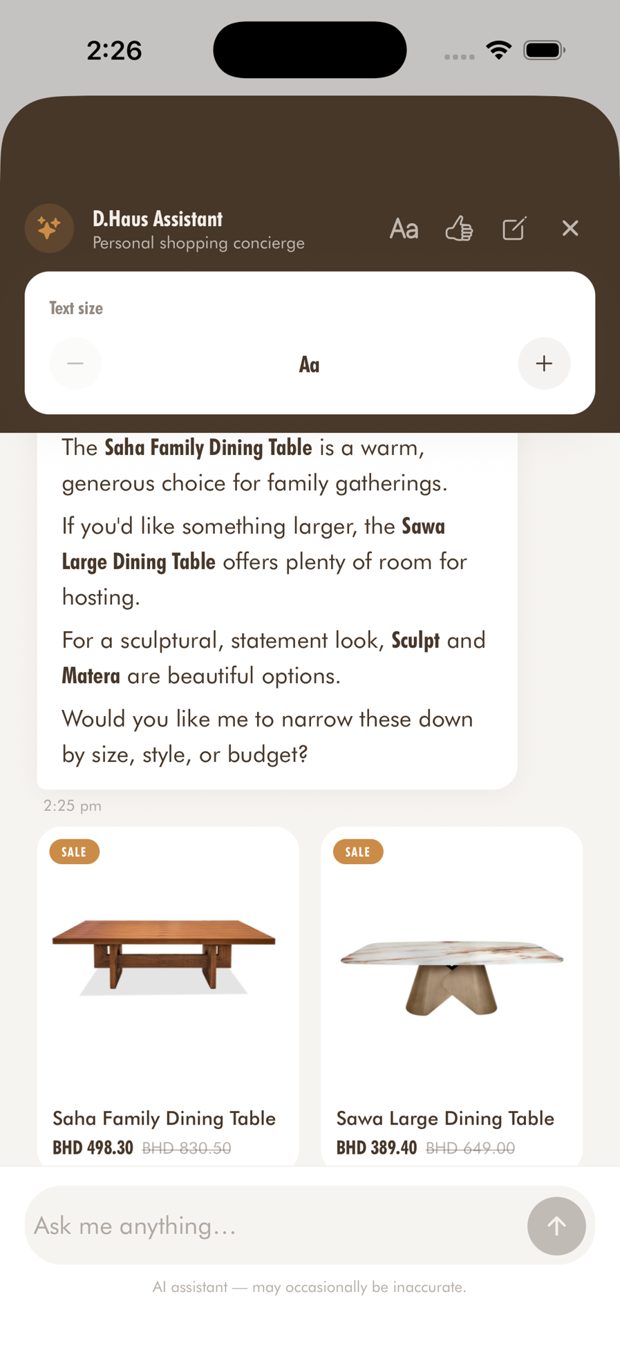
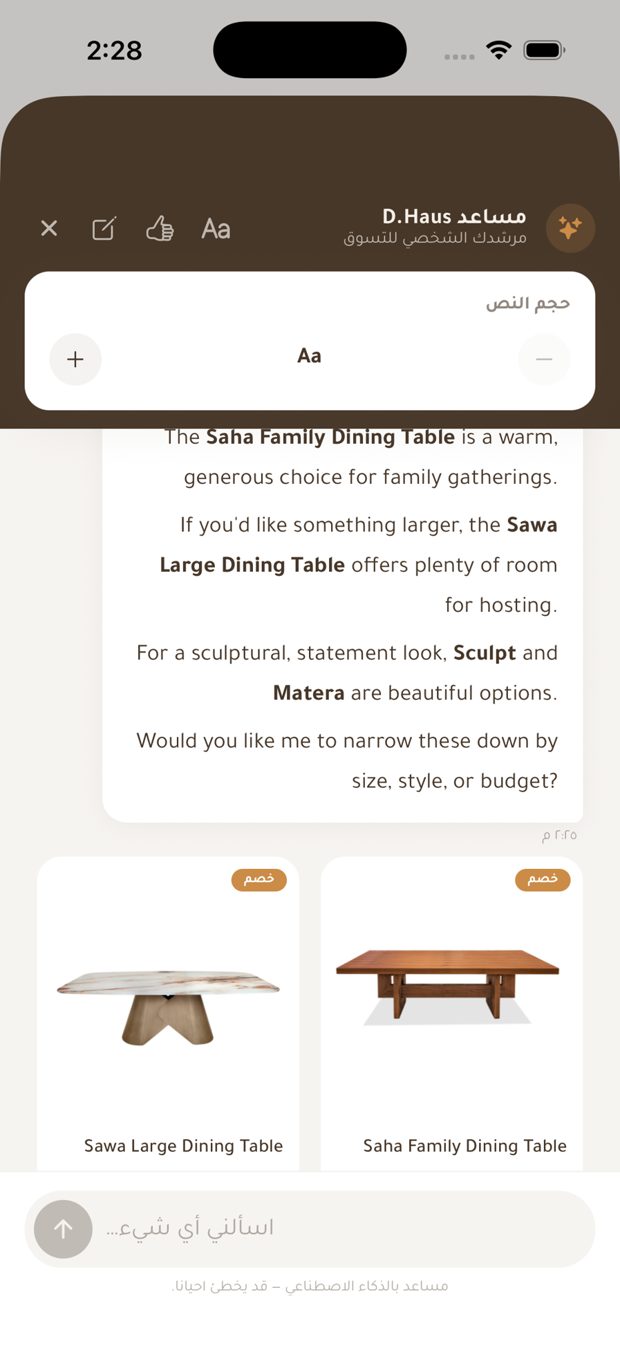
- Text size: the "Aa" button in the header opens a panel with − and + to change how large replies read.
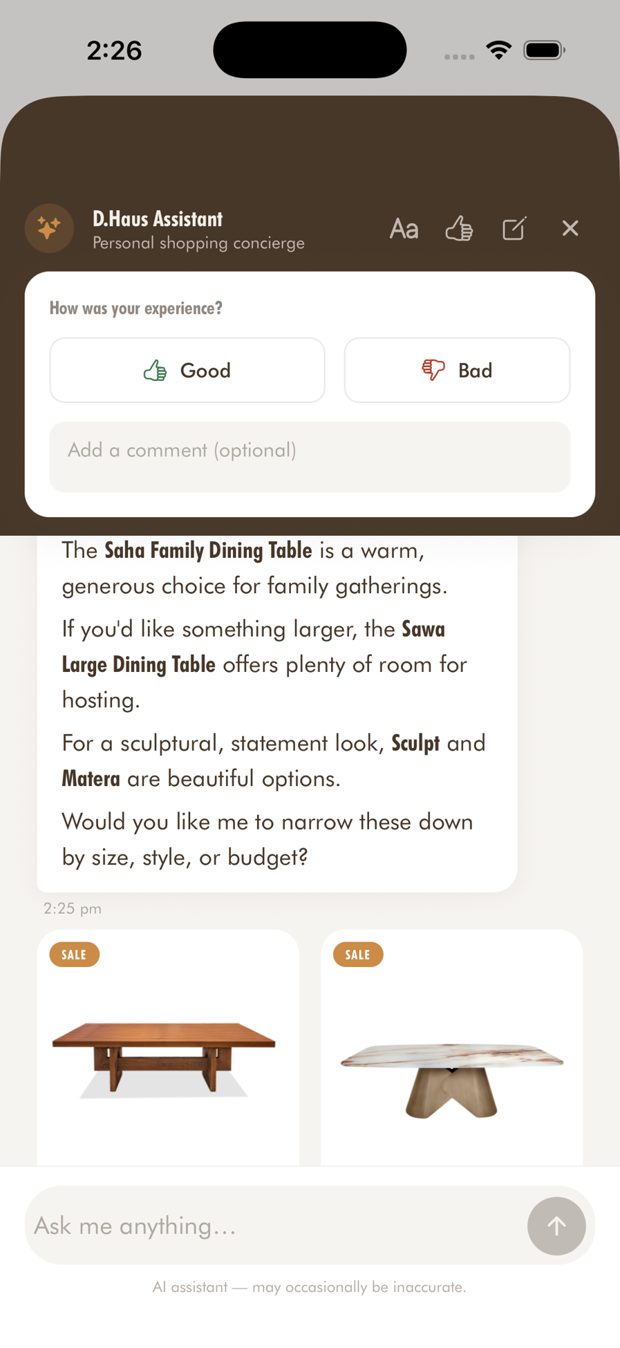
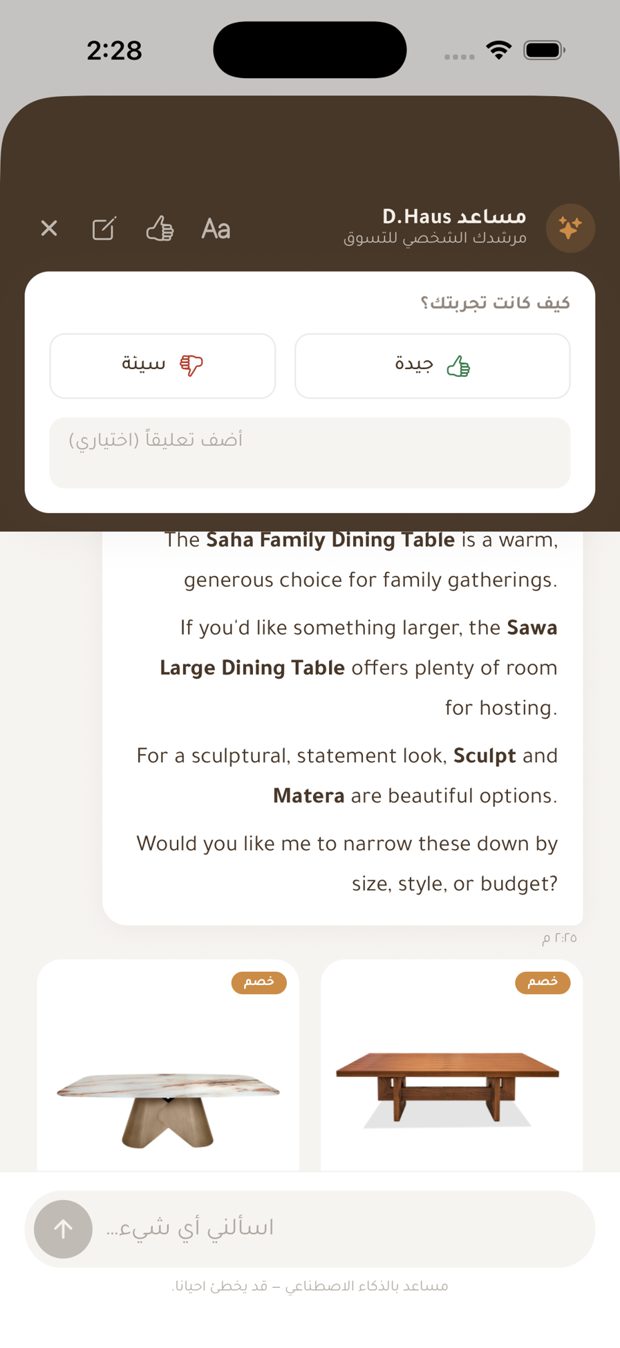
- Feedback: the thumbs-up button lets you rate the conversation as Good or Bad, with an optional comment.
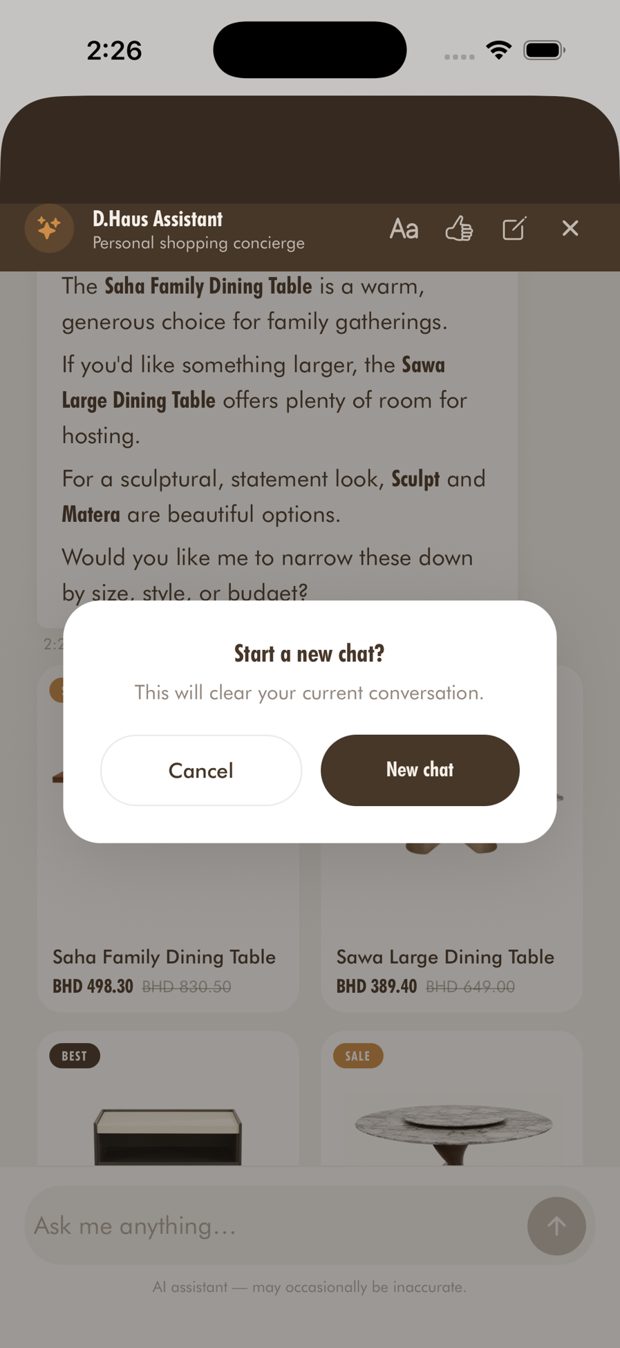
- New chat: the pen button asks you to confirm, then clears the current conversation.
- Signed-in customers find their previous conversation when they come back.
أدوات المحادثة: حجم النص والتقييم ومحادثة جديدة
- حجم النص: زر «Aa» في الرأس يفتح لوحة فيها − و+ لتغيير حجم قراءة الردود.
- التقييم: زر الإبهام يتيح تقييم المحادثة بـ«جيدة» أو «سيئة»، مع تعليق اختياري.
- محادثة جديدة: زر القلم يطلب التأكيد، ثم يمسح المحادثة الحالية.
- العميل المسجل يجد محادثته السابقة عند العودة.
Before you chat: consent and privacy
- The first time you open the chat, the app asks you to agree before any message is sent.
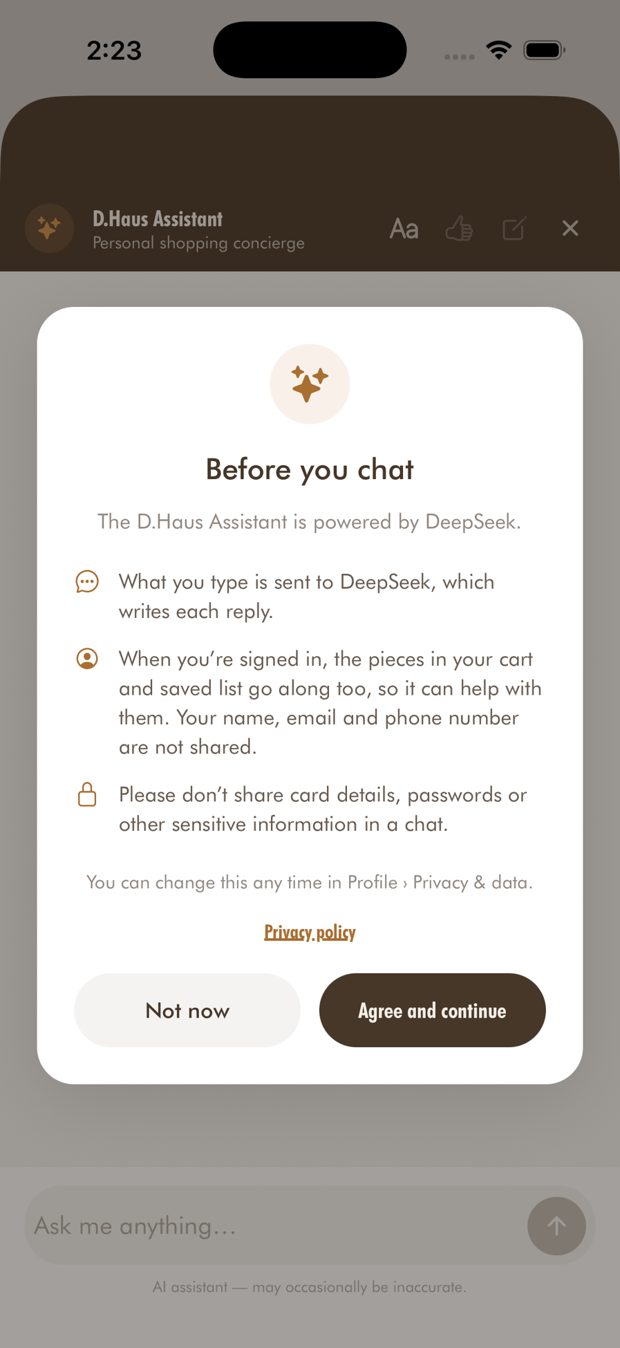
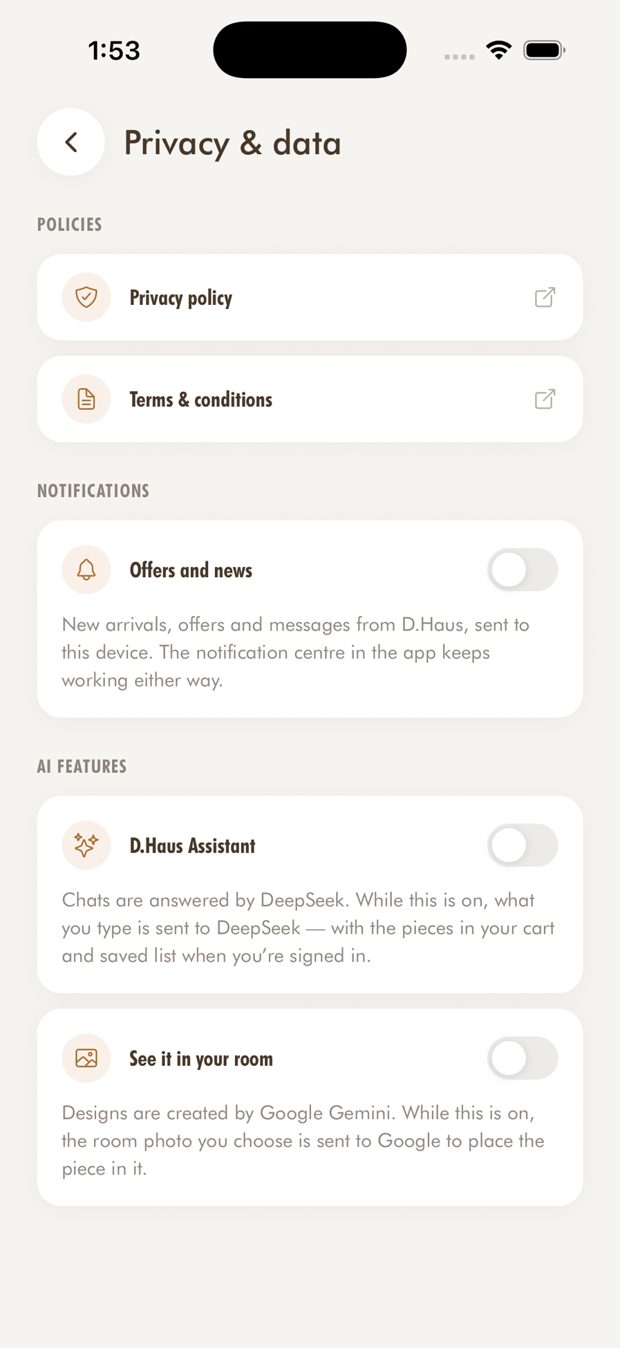
- The consent screen says the assistant is powered by DeepSeek, and that what you type is sent to DeepSeek to write each reply.
- When you are signed in, the pieces in your cart and saved list are shared too, so the assistant can help with them. The screen says your name, email and phone number are not shared.
- Customers can change this later in Profile > Privacy & data.
- The screen also tells customers not to share card details, passwords or other sensitive information in a chat.
قبل المحادثة: الموافقة والخصوصية
- عند أول فتح للمحادثة يطلب التطبيق الموافقة قبل إرسال أي رسالة.
- تنص شاشة الموافقة على أن المساعد يعمل بتقنية DeepSeek، وأن ما تكتبه يُرسَل إلى DeepSeek لصياغة كل رد.
- عند تسجيل الدخول تُشارَك القطع الموجودة في سلتك وقائمة المحفوظات أيضاً، ليساعدك المساعد بشأنها. وتذكر الشاشة أن اسمك وبريدك الإلكتروني ورقم هاتفك لا يُشاركون.
- يمكنك تغيير ذلك لاحقاً من الحساب > الخصوصية والبيانات.
- تنصح الشاشة أيضاً بعدم مشاركة تفاصيل البطاقة أو كلمات المرور أو أي معلومات حساسة في المحادثة.
Cart
- Change quantities. The app will not let you go above the stock on hand.
- A free-delivery progress bar shows how close you are to free delivery.
- The subtotal shows VAT. Delivery and the final total are settled at checkout.
السلة
- غيّر الكميات. لن يسمح التطبيق بتجاوز المخزون المتوفر.
- شريط التوصيل المجاني يوضح مدى اقترابك من التوصيل المجاني.
- المجموع الفرعي يشمل الضريبة. يتم احتساب التوصيل والمجموع النهائي عند الدفع.
Checkout
- Check out as a guest or with your account, with saved addresses.
- Discount codes: codes apply only to pieces that are not already on sale.
- Slide to pay to confirm your order.
- On eligible Saudi pieces the product page shows four interest-free instalments (Tabby / Tamara). Confirm the wording with the partners before using it in marketing.
إتمام الطلب
- أتمم الطلب كزائر أو بحسابك، مع عناوين محفوظة.
- رموز الخصم: تنطبق فقط على القطع غير المخفّضة أصلاً.
- اسحب للدفع لتأكيد طلبك.
- على القطع السعودية المؤهلة تعرض صفحة المنتج أربع دفعات بدون فوائد (Tabby / Tamara). تأكد من الصياغة مع الشريكين قبل استخدامها في التسويق.
Orders and tracking
- Order list, and order details with a status timeline.
- A confirmation screen after each order.
الطلبات والتتبع
- قائمة الطلبات، وتفاصيل كل طلب مع خط زمني للحالة.
- شاشة تأكيد بعد كل طلب.
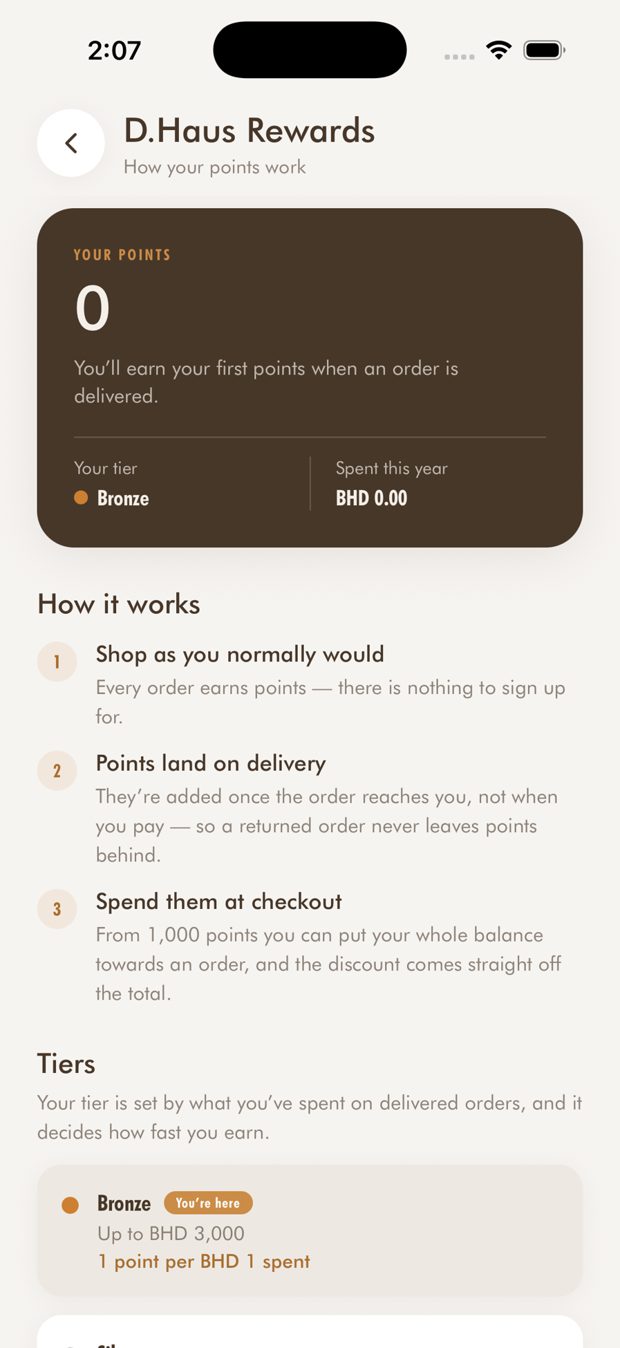
D.Haus Rewards *
- Points are added once an order is delivered. There is no sign-up step.
- Tiers: you earn more points for each amount spent as you move up.
- Spend your points at checkout; the discount comes off the order total.
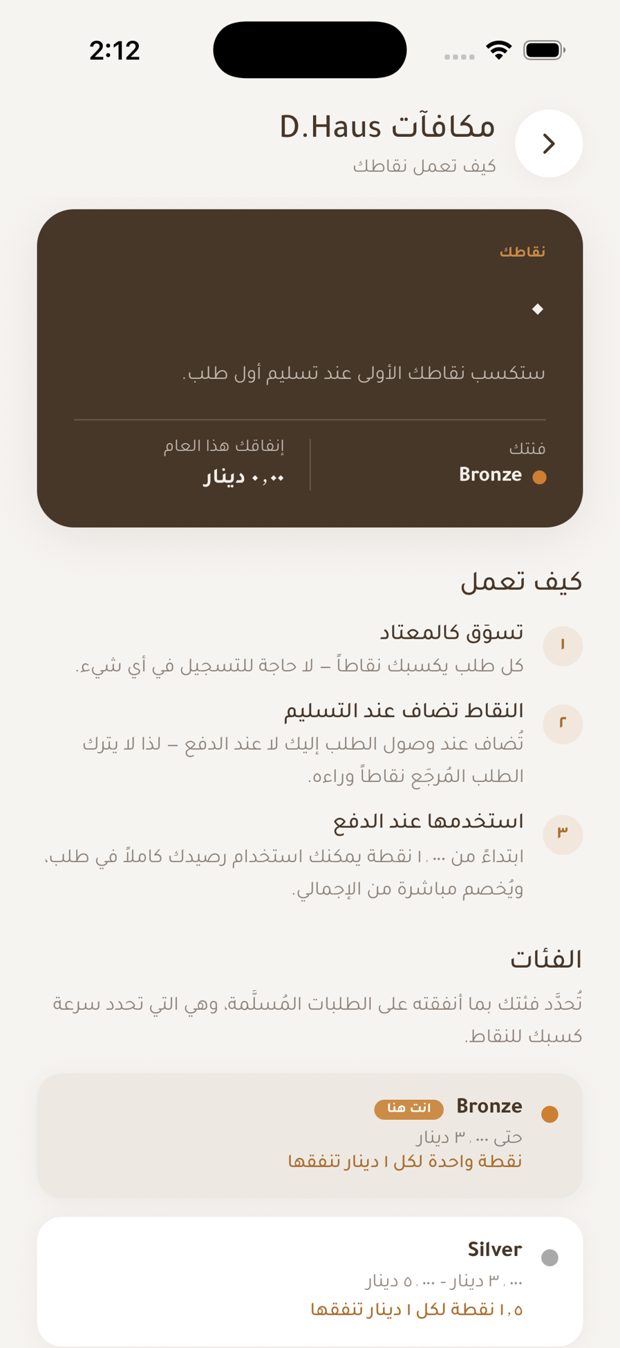
مكافآت D.Haus *
- تُضاف النقاط بعد تسليم الطلب. لا توجد خطوة تسجيل إضافية.
- الفئات: تكسب نقاطاً أكثر مع كل مبلغ تنفقه كلما ارتقيت.
- استخدم نقاطك عند الدفع؛ يُخصم المبلغ من إجمالي الطلب.
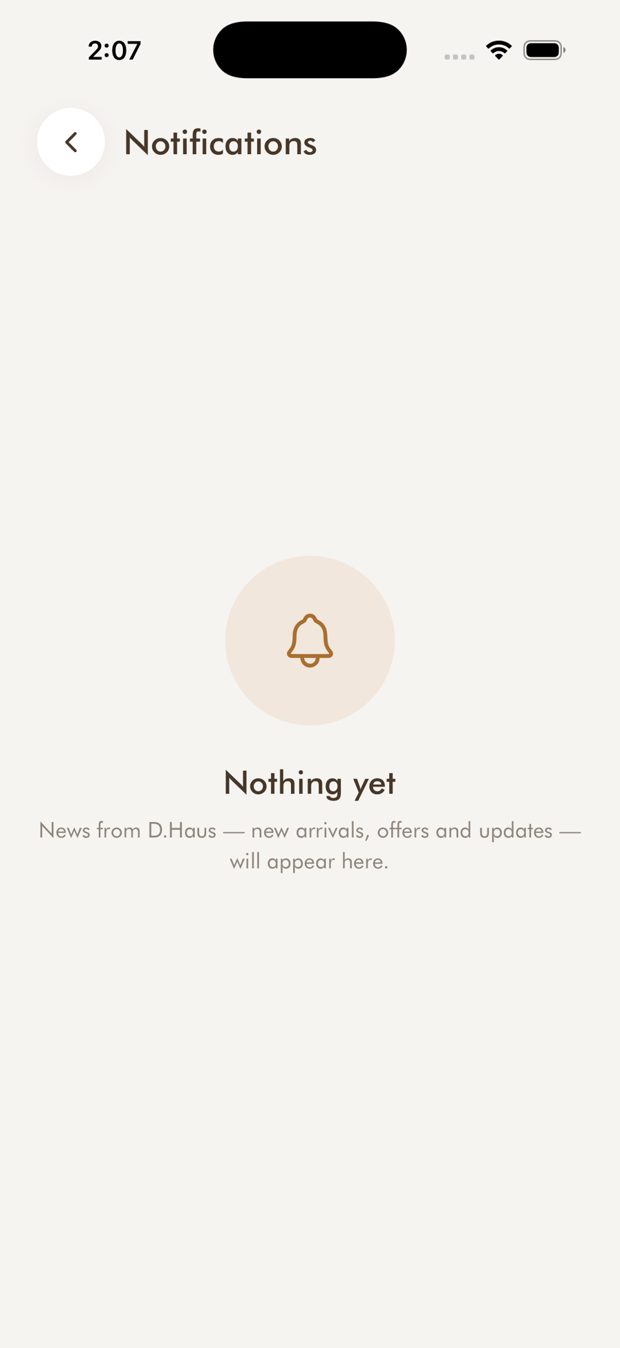
Notifications and back-in-stock alerts
- A notification centre with messages from D.Haus.
- Push notifications: turn them on in your phone settings and in the app under Profile.
- Back in stock: tap "Notify me" on a sold-out piece. Signed-in customers are alerted automatically. Guests give an email address, and optionally a WhatsApp number.
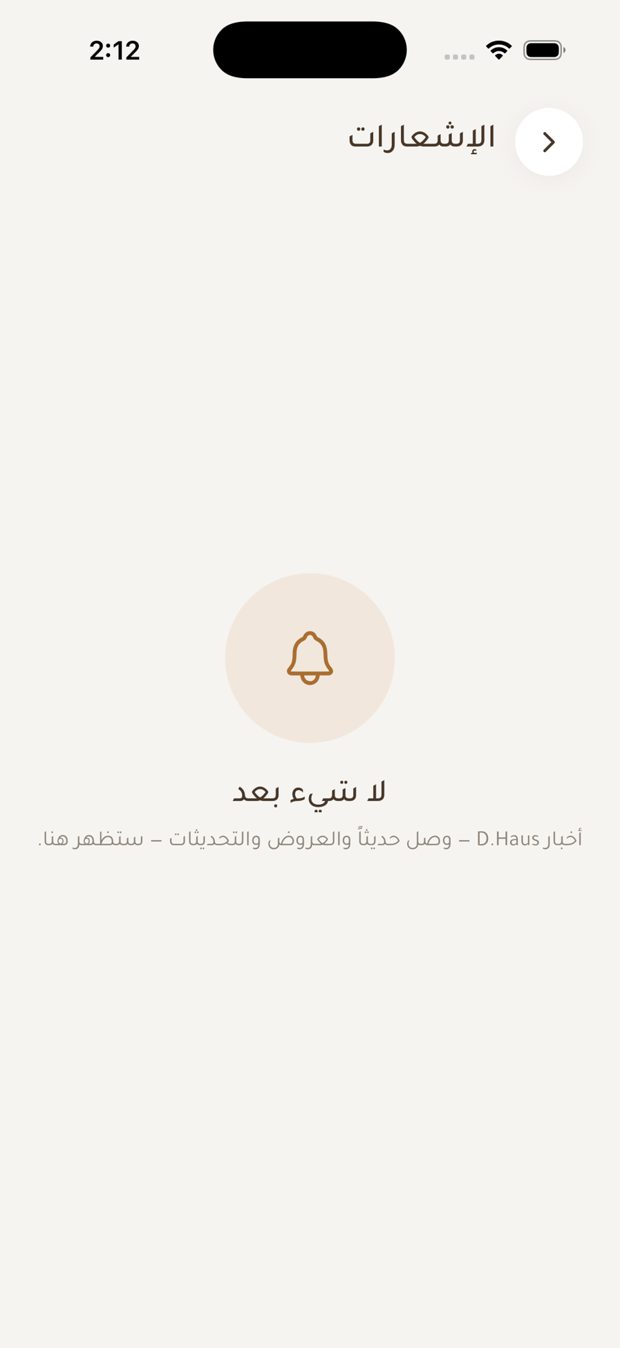
الإشعارات وتنبيهات عودة التوفر
- مركز إشعارات فيه رسائل من D.Haus.
- الإشعارات الفورية: فعّلها من إعدادات هاتفك ومن الحساب في التطبيق.
- عودة التوفر: اضغط «أعلمني» على قطعة مباعة. يُرسَل التنبيه تلقائياً للعملاء المسجلين. الزائر يُدخل بريده الإلكتروني، واختيارياً رقم واتساب.
Announcements
- A full-screen card when you open the app: an image, a message, and one button. Close it, or follow the button.
الإعلانات
- بطاقة بملء الشاشة عند فتح التطبيق: صورة ورسالة وزر واحد. أغلقها أو اتبع الزر.
Profile, settings and support
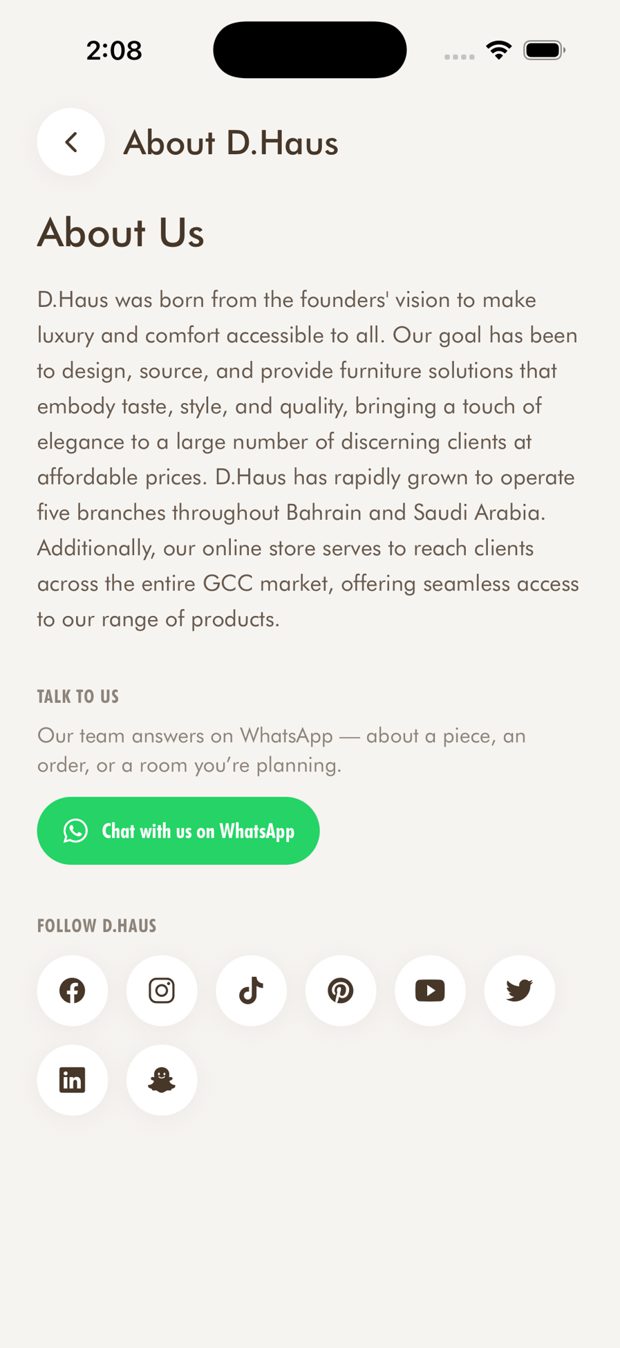
- Profile holds Saved, My rooms, Notifications, Recently viewed, My designs, My space, Region, Language and About D.Haus.
- Privacy & data: privacy policy, terms, and switches for offers and AI features.
- Support: chat with the team on WhatsApp from About D.Haus.
الحساب والإعدادات والدعم
- يضم الحساب: المحفوظات، وغرفي، والإشعارات، والمشاهدة مؤخراً، وتصاميمي، ومساحتي، والمنطقة، واللغة، وعن D.Haus.
- الخصوصية والبيانات: سياسة الخصوصية، والشروط، ومفاتيح للعروض وميزات الذكاء الاصطناعي.
- الدعم: تحدث مع الفريق على واتساب من صفحة «عن D.Haus».